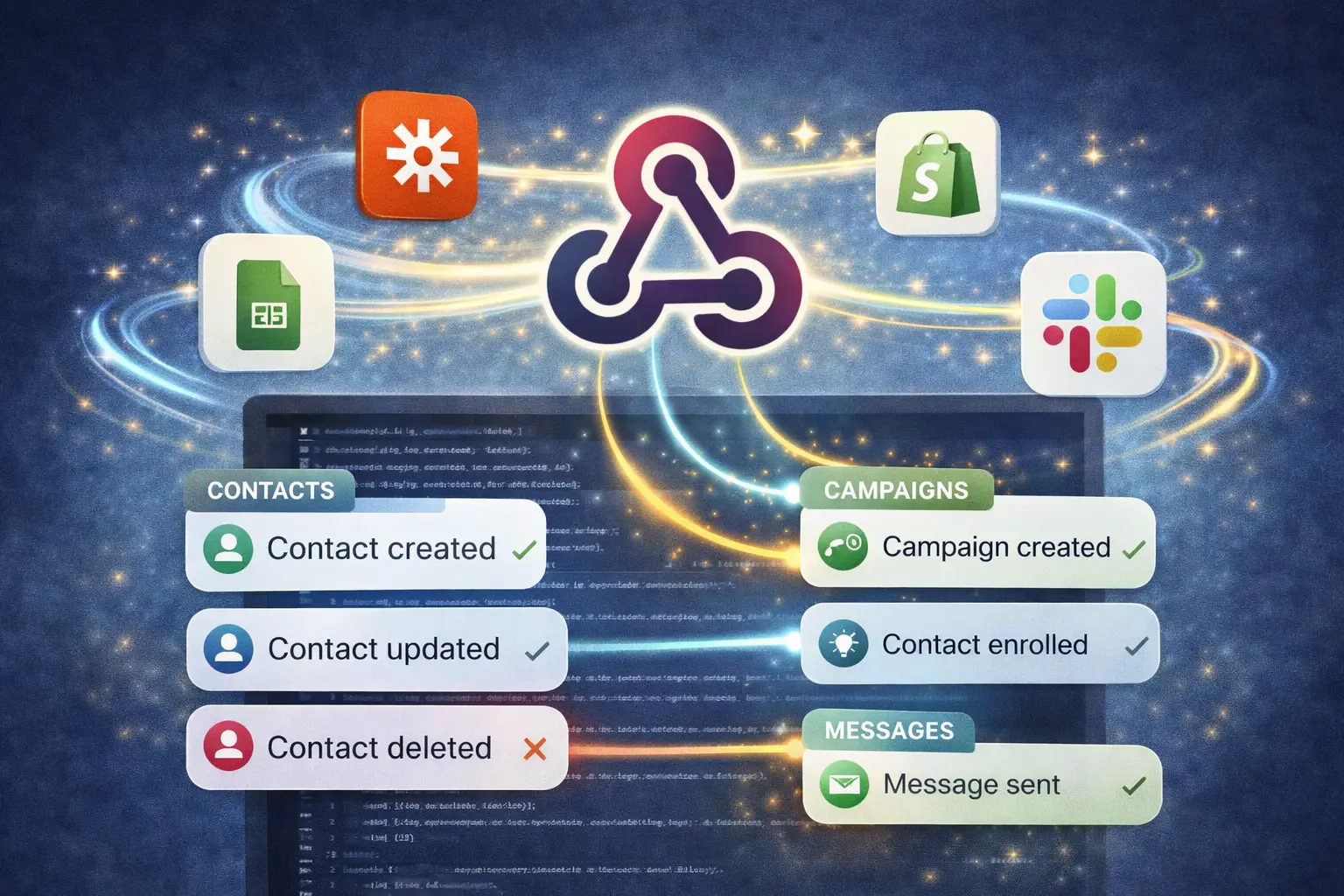
Webhooks: Real-Time Notifications for Your Integrations
Receive instant HTTP notifications when contacts, campaigns, or messages change in Remindlo. Connect your CRM, build custom automations, or power Make and n8n workflows.
Contents
Webhooks let you receive instant HTTP notifications whenever something happens in your Remindlo account - a contact is created, a campaign enrolls someone, or an SMS is sent. Instead of polling the API to check for changes, your system gets notified in real time.
This is ideal for keeping your CRM in sync, triggering automations in Make or n8n, updating internal dashboards, or building any custom workflow that needs to react to Remindlo events as they happen. If you use Zapier, you can check our ready integration.
How Webhooks Work
When you create a webhook endpoint, you tell Remindlo: "Whenever one of these events happens, send an HTTP POST to this URL." Remindlo then delivers a signed JSON payload to your endpoint within seconds of the event occurring.
You register a webhook endpoint with a target URL and a list of event types you want to subscribe to.
Remindlo gives you a signing secret (shown once - store it securely).
When a subscribed event occurs, Remindlo sends an HTTP POST with a JSON payload to your URL.
Your server verifies the signature using the signing secret and processes the event.
Available Event Types
Event | Triggered when |
|---|---|
| A new contact is added (via dashboard, API, CSV import, or Google Calendar sync) |
| A contact's details change (name, phone, email, next due date, tags, etc.) |
| A contact is removed |
| A new SMS or email campaign is created |
| A contact is enrolled in a campaign |
| An SMS is sent successfully |
| An SMS delivery fails |
Setting Up Webhooks via the Dashboard
The quickest way to get started:
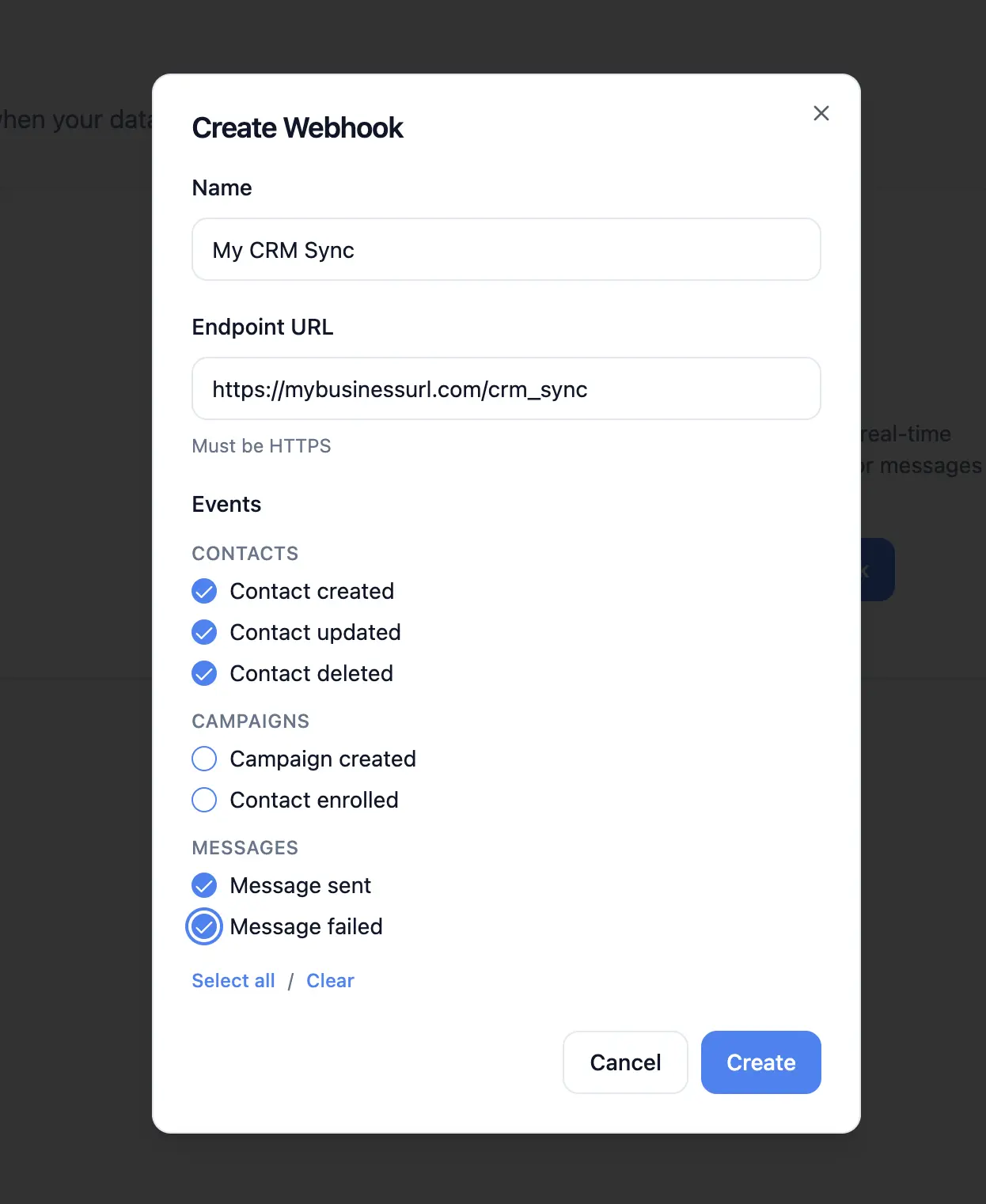
Go to Dashboard → Webhooks.
Click Add Endpoint.
Enter a name (e.g. "My CRM sync"), your HTTPS URL, and select the event types you want to receive.
Click Create.
Copy the signing secret shown in the dialog - this is displayed only once. Store it securely in your application's environment variables.
Your endpoint will start receiving events immediately.
Setting Up Webhooks via the API
You can also manage webhooks programmatically using the REST API. This is useful for building integrations that configure themselves automatically.
# Create a webhook endpoint
curl -X POST "https://api.remindlo.co.uk/v1/webhooks" \
  -H "x-api-key: sk_live_your_key_here" \
  -H "Content-Type: application/json" \
  -d '{
    "name": "CRM Contact Sync",
    "target_url": "https://your-server.com/remindlo-webhook",
    "event_types": ["contact.created", "contact.updated", "contact.deleted"]
  }'
The response includes a signing_secret field - save it immediately, as it will not be shown again.
{
  "success": true,
  "endpoint": {
    "id": "endpoint-uuid",
    "name": "CRM Contact Sync",
    "target_url": "https://your-server.com/remindlo-webhook",
    "status": "active",
    "event_types": ["contact.created", "contact.updated", "contact.deleted"]
  },
  "signing_secret": "whsec_a1b2c3d4e5f6..."
}
To list or delete endpoints, see the full API documentation.
Webhook Payload Format
Every webhook delivery sends a JSON envelope with a consistent structure:
{
  "id": "event-uuid",
  "type": "contact.created",
  "created_at": "2026-03-25T10:30:00Z",
  "api_version": "2026-03-25",
  "data": {
    "id": "contact-uuid",
    "first_name": "John",
    "last_name": "Smith",
    "phone_e164": "+447912345678",
    "email": null,
    "marketing_consent": true,
    "next_due_at": "2026-04-15T00:00:00Z",
    "tags": [],
    "created_at": "2026-03-25T10:30:00Z",
    "updated_at": "2026-03-25T10:30:00Z"
  }
}
Each delivery also includes these HTTP headers:
Header | Description |
|---|---|
| HMAC-SHA256 signature for payload verification |
| The event type (e.g. |
| Unique delivery ID (useful for deduplication) |
|
|
Verifying Webhook Signatures
Every delivery is signed with your endpoint's signing secret using HMAC-SHA256. Always verify signatures before processing events to ensure the request genuinely came from Remindlo.
The X-Remindlo-Signature header looks like this:
t=1711360200,v1=5257a869e7ecebeda32affa62cdca3fa51cad7e77a0e56ff536d0ce8e108d8f9To verify:
Extract the
t(timestamp) andv1(signature) values from the header.Compute HMAC-SHA256 of the string
{timestamp}.{raw_request_body}using your signing secret as the key.Compare your computed signature with the
v1value using a constant-time comparison.
Node.js / Express Example
const express = require('express');
const crypto = require('crypto');
const app = express();

app.post('/remindlo-webhook', express.raw({ type: 'application/json' }), (req, res) => {
  const signature = req.headers['x-remindlo-signature'];
  const [tPart, vPart] = signature.split(',');
  const timestamp = tPart.split('=')[1];
  const sig = vPart.split('=')[1];

  const expected = crypto
    .createHmac('sha256', process.env.REMINDLO_WEBHOOK_SECRET)
    .update(timestamp + '.' + req.body)
    .digest('hex');

  if (!crypto.timingSafeEqual(Buffer.from(sig, 'hex'), Buffer.from(expected, 'hex'))) {
    return res.status(401).send('Invalid signature');
  }

  const event = JSON.parse(req.body);

  switch (event.type) {
    case 'contact.created':
      // Create record in your CRM
      console.log('New contact:', event.data.first_name, event.data.phone_e164);
      break;
    case 'contact.updated':
      // Update existing CRM record
      break;
    case 'message.sent':
      // Log successful delivery
      break;
  }

  res.status(200).send('OK');
});
Python / Flask Example
import hmac
import hashlib
import json
from flask import Flask, request

app = Flask(__name__)
WEBHOOK_SECRET = os.environ['REMINDLO_WEBHOOK_SECRET']

@app.route('/remindlo-webhook', methods=['POST'])
def handle_webhook():
    signature_header = request.headers.get('X-Remindlo-Signature', '')
    parts = dict(p.split('=', 1) for p in signature_header.split(','))
    timestamp = parts.get('t', '')
    received_sig = parts.get('v1', '')

    expected = hmac.new(
        WEBHOOK_SECRET.encode(),
        f"{timestamp}.{request.data.decode()}".encode(),
        hashlib.sha256
    ).hexdigest()

    if not hmac.compare_digest(received_sig, expected):
        return 'Invalid signature', 401

    event = json.loads(request.data)

    if event['type'] == 'contact.created':
        # Sync to your database or CRM
        print(f"New contact: {event['data']['first_name']}")

    return 'OK', 200
PHP Example
$payload = file_get_contents('php://input');
$signatureHeader = $_SERVER['HTTP_X_REMINDLO_SIGNATURE'] ?? '';

// Parse t= and v1= from the header
preg_match('/t=(\d+),v1=(\w+)/', $signatureHeader, $matches);
$timestamp = $matches[1];
$receivedSig = $matches[2];

$expected = hash_hmac('sha256', $timestamp . '.' . $payload, getenv('REMINDLO_WEBHOOK_SECRET'));

if (!hash_equals($expected, $receivedSig)) {
    http_response_code(401);
    exit('Invalid signature');
}

$event = json_decode($payload, true);

if ($event['type'] === 'contact.created') {
    // Insert into your CRM database
    $contact = $event['data'];
    // $db->insert('customers', [...]);
}

http_response_code(200);
echo 'OK';
Retry Behaviour
If your endpoint returns a non-2xx status code, times out (30 seconds), or is unreachable, Remindlo automatically retries the delivery with exponential backoff:
Attempt | Delay after failure |
|---|---|
1st retry | 1 minute |
2nd retry | 5 minutes |
3rd retry | 30 minutes |
4th retry | 2 hours |
5th retry | 6 hours |
6th retry | 12 hours |
7th retry | 24 hours |
After 8 total attempts, the delivery is marked as permanently failed.
Auto-disable: if an endpoint has 5 or more consecutive permanently failed deliveries from distinct events, Remindlo automatically disables it to prevent wasting resources. You can re-enable it from the Webhooks dashboard after fixing the issue.
Monitoring Deliveries
The Webhooks dashboard shows delivery status for each endpoint:
Delivered - your server returned a 2xx response.
Failed - delivery failed but will be retried automatically.
Permanently failed - all retry attempts exhausted.
You can replay any failed delivery from the dashboard with a single click. This resets the delivery and attempts it again immediately.
If an endpoint was auto-disabled, a warning banner will appear on the endpoint card. Fix the issue on your server, then click Enable to resume deliveries.
Practical Use Cases
Sync Contacts to Your CRM
Subscribe to contact.created, contact.updated, and contact.deleted to keep your CRM in sync with Remindlo in real time. When a new contact is added (via the dashboard, CSV import, API, or Google Calendar), your CRM receives the full contact record within seconds.
This eliminates the need for periodic data exports or manual copy-pasting between systems.
Track SMS Delivery in Your System
Subscribe to message.sent and message.failed to log every SMS outcome in your own database. This is useful for audit trails, compliance reporting, or building custom analytics dashboards that combine Remindlo delivery data with your other business metrics.
Trigger Automations in Make or n8n
Both Make and n8n support webhook triggers natively. Create a webhook endpoint in Remindlo pointing to your Make/n8n webhook URL, and you can trigger any automation when a Remindlo event occurs - send a Slack notification when a contact is created, update a Google Sheet when a message is sent, or trigger a follow-up email sequence after campaign enrolment.
Build a Custom Dashboard
Use webhooks to stream events into your own real-time dashboard. Subscribe to all event types and store them in your database. This gives you full control over how data is displayed and lets you combine Remindlo events with data from other tools your business uses.
Alert on Failed Messages
Subscribe to message.failed and forward the event to your team's Slack channel, email, or PagerDuty. This way you are immediately aware when an important reminder fails to deliver, and can take action - such as calling the customer directly or resending via a different channel.
Best Practices
Always verify signatures - never process webhook payloads without checking the
X-Remindlo-Signatureheader. This protects against spoofed requests.Respond quickly - return a 200 status code as soon as possible. If you need to do heavy processing, accept the event and process it asynchronously (e.g. add it to a queue).
Handle duplicates - in rare cases (network timeouts, retries), you may receive the same event twice. Use the
X-Remindlo-Deliveryheader or theidfield in the payload to deduplicate.Use HTTPS - webhook URLs must use HTTPS. Remindlo will reject HTTP endpoints.
Store the signing secret securely - treat it like a password. Use environment variables, not source code.
Subscribe only to events you need - this reduces noise and processing load on your server.
Monitor the dashboard - check the Webhooks page periodically to catch delivery issues before they accumulate.
Rotating Your Signing Secret
If your signing secret is compromised, you can rotate it from the Webhooks dashboard:
Click the endpoint card to expand it.
Click Rotate Secret.
Copy the new secret and update it in your server's environment variables.
Deploy your updated server configuration.
The old secret stops working immediately, so update your server before rotating - or be prepared for a brief period where signature verification fails (deliveries will be retried automatically).
Troubleshooting
Not receiving any events
Check that your endpoint status is active in the Webhooks dashboard.
Verify you subscribed to the correct event types.
Make sure your server is publicly accessible - Remindlo cannot reach localhost or private network addresses.
Check your server logs for incoming requests - the issue may be in your event processing rather than delivery.
Signature verification failing
Ensure you are using the raw request body for verification, not a parsed and re-serialised version. Parsing and re-serialising JSON can change whitespace or key ordering, which breaks the signature.
Check that your signing secret matches - if you rotated the secret, make sure your server is using the new one.
Verify the signature computation: HMAC-SHA256 of
{timestamp}.{raw_body}.
Endpoint was auto-disabled
This happens after 5+ consecutive permanently failed deliveries from distinct events.
Check your server logs for the root cause - common issues include server downtime, incorrect URL, firewall rules, or returning non-2xx status codes.
Fix the issue, then re-enable the endpoint from the dashboard.
Deliveries showing as failed
Check the delivery details in the dashboard - the response status code and error excerpt will help diagnose the issue.
Common causes: server returning 500 errors, request timeouts (over 30 seconds), SSL certificate issues, or DNS resolution failures.
Failed deliveries are retried automatically - check if later attempts succeeded.
Need Help?
If you need help setting up webhooks or integrating with your system, contact us at support@remindlo.co.uk. For full API documentation, see the REST API Reference.