iCloud appointment reminders your clients actually get
Apple Calendar is brilliant at reminding you about your day. It has no way to text your clients about theirs. Remindlo reads your iCloud calendar and sends the SMS and email reminders for you, so fewer people forget and fewer slots go empty.
iCloud appointment 14:30
SMS reminder sent
Attendance with a text reminder
78.6%, against 67.8%
Pooled across eight randomised trials of healthcare appointments. Where our figures come from
What iCloud does, and what it leaves to you
Apple Calendar already knows when every appointment is and who it is with. The gap is everything that has to reach the client.
Apple Calendar on its own
iCloud + Remindlo
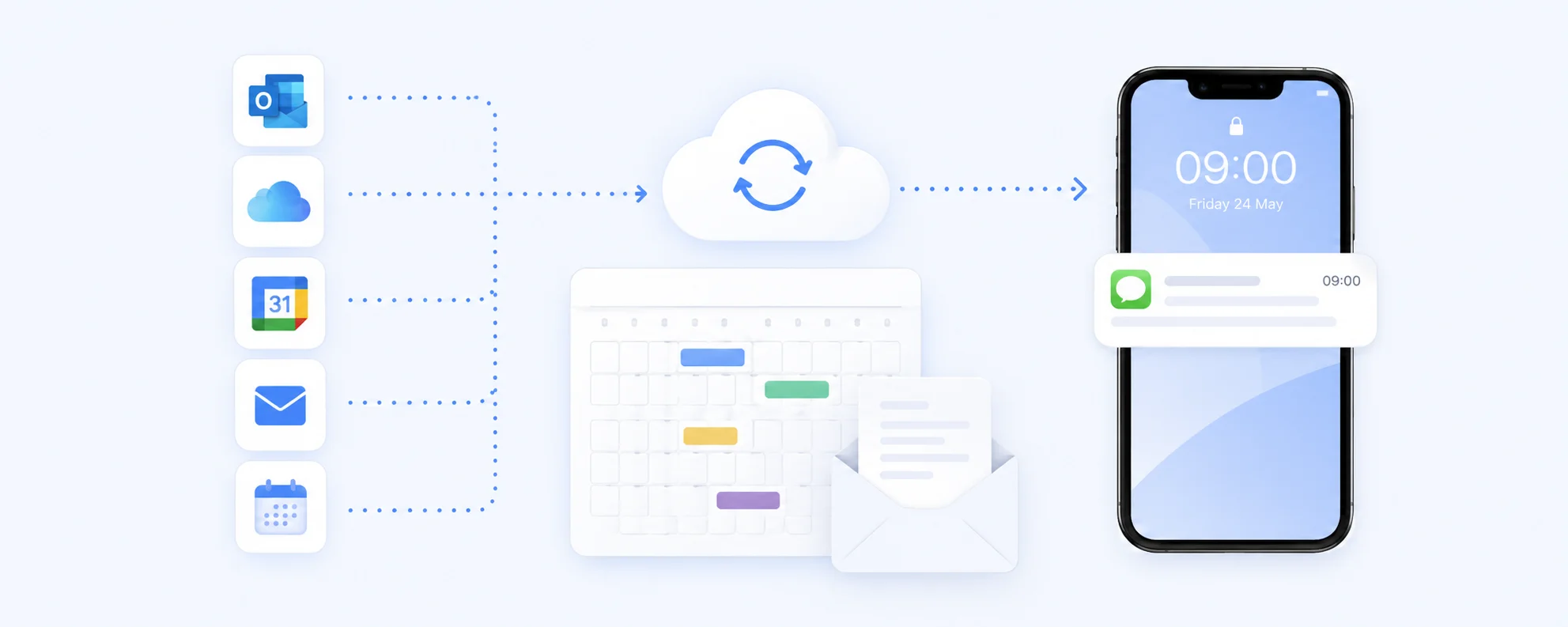
Fewer no-shows
A text lands where your client actually looks. Reminders reach them at the moment they decide whether to turn up, which is exactly when a forgotten slot turns into lost revenue.
Zero extra admin
You carry on booking in Apple Calendar exactly as you do today, on whichever device is to hand. Remindlo picks the appointments up on its own. No double entry, no new system to learn.
Slots you can resell
Send the first reminder a few days out and clients who cannot make it tell you early, while there is still time to fill the gap with someone on the waiting list.
How the iCloud integration works
Four steps, about ten minutes, and nothing to install on any of your devices.
Publish the calendar you book clients into
At iCloud.com or in Calendar on your Mac, open the calendar's sharing settings and switch Public Calendar on. Publish a dedicated Work calendar, not your personal one.
Copy the webcal link and paste it in
iCloud gives you a link starting webcal://. Paste it into Remindlo under Integrations exactly as copied - no rewriting to https needed. A test fetch confirms how many appointments it can see.
Put the client's mobile in the event notes
A public iCloud feed shares the Notes field, so that is the reliable place for the number. The Location field is checked too. An event with neither a phone number nor a guest email has nobody to remind, so no reminder goes out for it.
Choose when reminders go out
Most businesses send one three days ahead and one the day before. Pick a ready-made template or write your own, and the reminders send themselves.
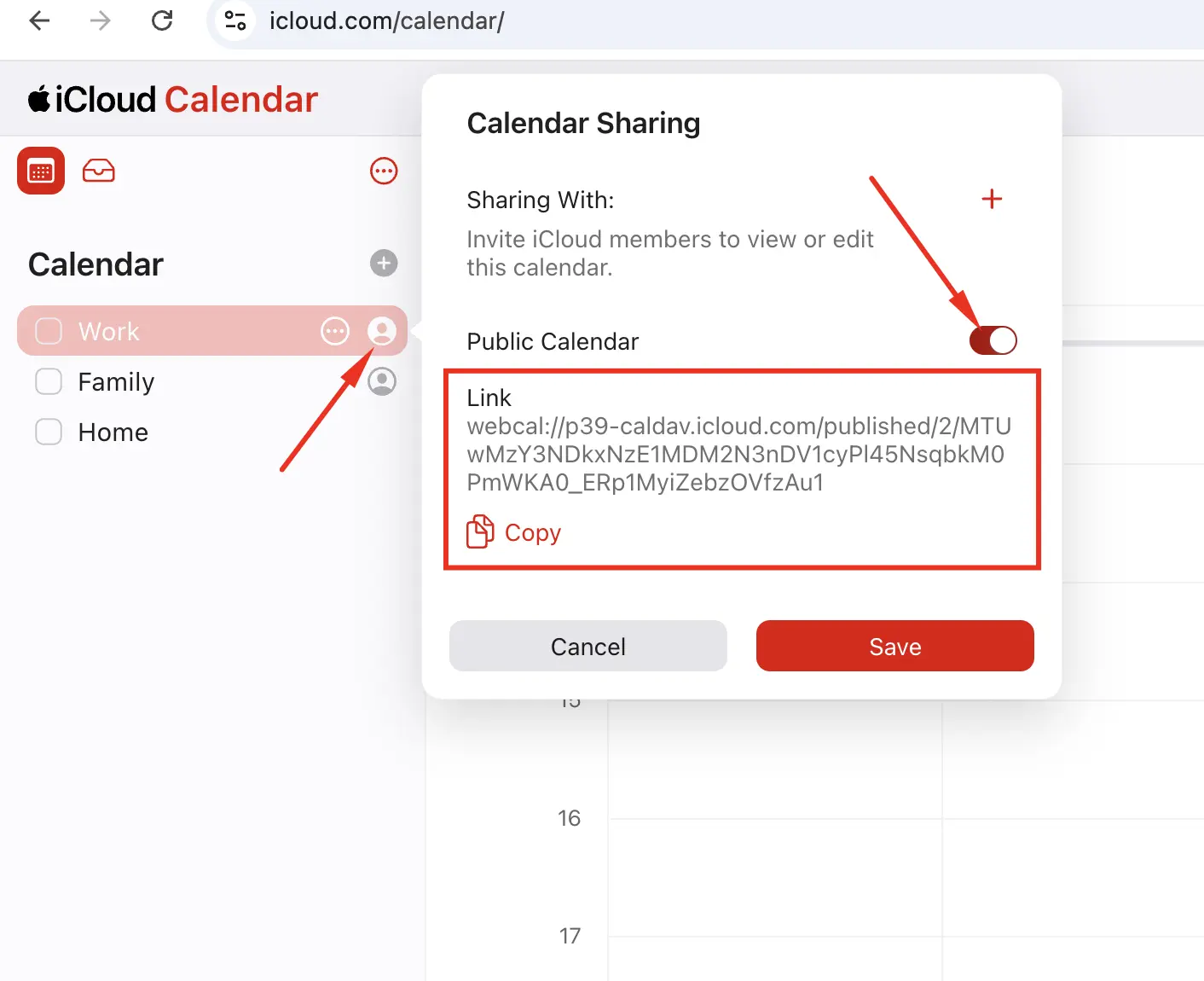
What you get once it is connected
Booking on your iPhone?
You can keep booking on the phone. It is only the one-off publish step that the iOS Calendar app does not reliably offer, and the way round it takes a minute: open iCloud.com in Safari, sign in, open Calendar and switch Public Calendar on there. Everything after that - adding numbers to events, editing reminders, checking what was delivered - works from any device.
Treat the link like a password
The published link is read-only, but anyone holding it can read that calendar, which is why a separate Work calendar is worth the two minutes. Worth knowing before you touch the toggle: switching Public Calendar off and back on issues a brand-new link and kills the old one for good. That is the usual reason a feed stops syncing - repaste the current link and remove the dead one.
The reminder your calendar cannot send
Appointment reminders protect next week's revenue. The bigger win is the appointment that was never booked: the boiler service due in twelve months, the MOT due next spring, the check-up six months out. That client is not in your calendar, so Apple has nothing to remind anyone about. Remindlo keeps the service interval against each client and gets in touch before they drift to whoever advertises first.
Who this is for
iCloud is the calendar most sole traders and small teams end up in, because it is the one already on the phone. If your week is a column of client appointments in Apple Calendar, this is built for you.
Want the step-by-step first?
The full walkthrough covers both publishing routes with screenshots, what the webcal prefix means, where the phone number goes, and what to do when a link stops working.
SMS reminders from iCloud Calendar
Publishing at iCloud.com or on a Mac, connecting the feed and sending your first reminder.
Calendar SMS reminders, in general
Why SMS beats email, phone-number formatting and how to time the reminders.
On Microsoft instead? See the Outlook and Office 365 integration.
FAQ: iCloud + Remindlo
Common questions about SMS reminders for Apple iCloud calendars.
Put your iCloud calendar to work
Connect it in minutes, send your first ten reminders free, and measure the no-show rate before and after.