
What's New in Remindlo: April 2026
Recent product updates in Remindlo, including smarter time zone handling, Google Calendar Add-on improvements, pricing updates, and a better mobile experience.
Contents
We shipped a batch of usability and integration improvements across Remindlo this month. The main themes were better onboarding, a smoother Google Calendar Add-on experience, clearer pricing, and mobile UI fixes that make the dashboard easier to use on smaller screens.
This article is a living changelog. We will keep expanding it as new customer-facing updates ship.
Smarter Time Zone Handling
New users now get better time zone handling during sign-up, so SMS for your customers are being timely send as you inted. You won't bother them at night. Remindlo can automatically detect your time zone and include it in the registration flow, which helps keep scheduling and reminders aligned from the start.
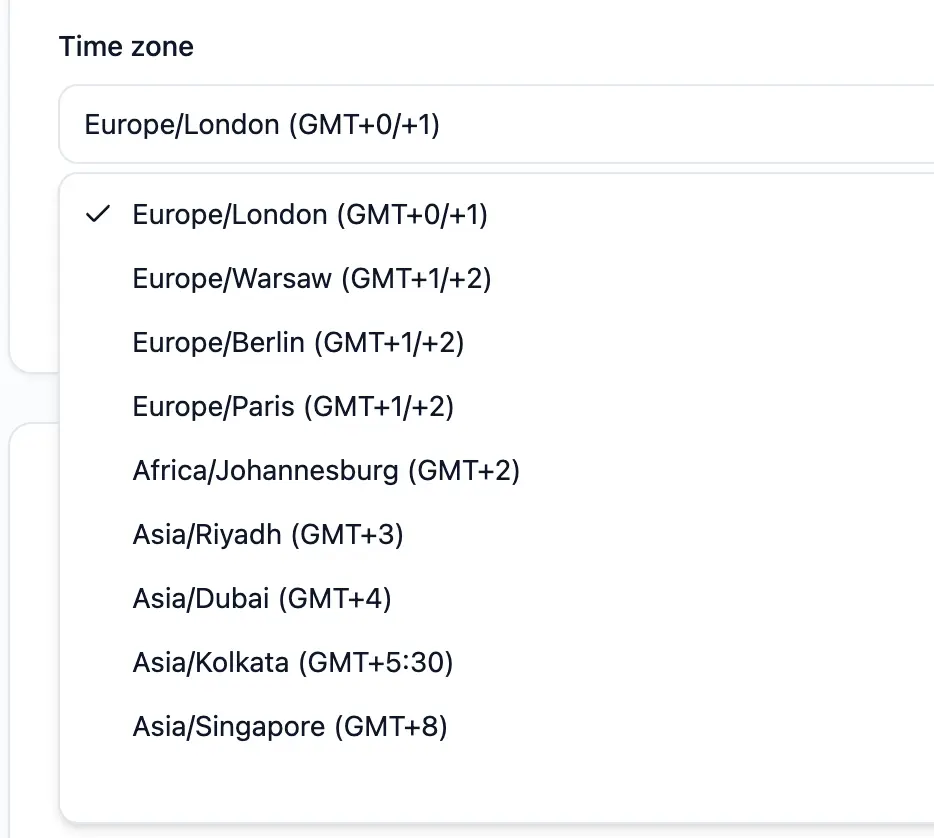
We also expanded the list of available time zones in Settings, making it easier for users in more regions to configure their accounts correctly.
Google Calendar Add-on Improvements
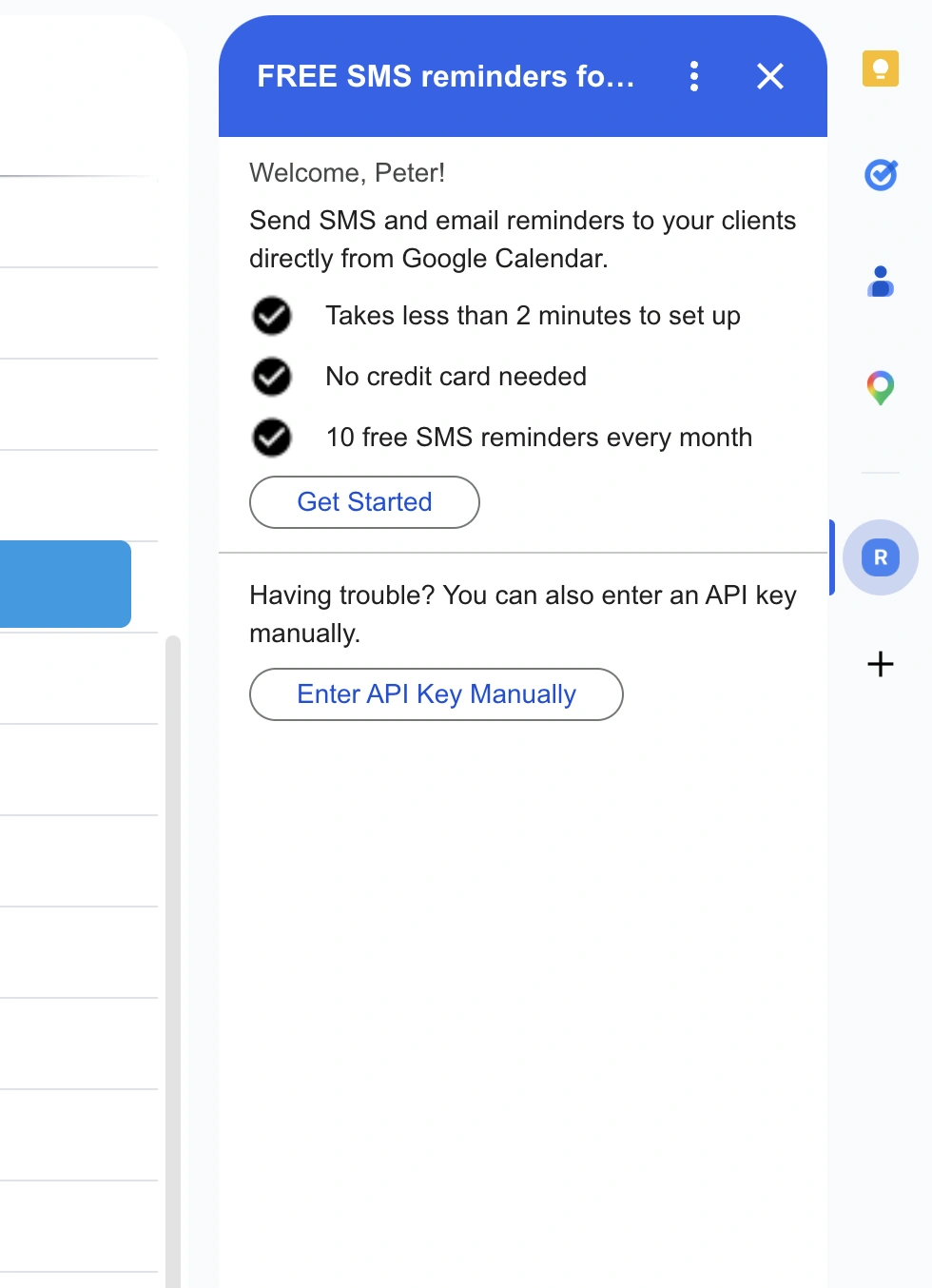
We introduced a more complete OAuth flow for the Google Calendar Side Panel Add-on, improving setup and authorization reliability.
Cleaner authorization flow for connecting the add-on.
Improved success handling after authorization.
New universal actions and clearer auto-sync prompts inside the add-on.
These changes are aimed at making the add-on easier to understand and quicker to activate.
Better Phone Number Detection from Calendar Events
Remindlo can now do a better job of finding phone numbers in Google Calendar events by also looking at the event summary, not just the event description. This improves automatic contact capture and helps reminders trigger more reliably when phone numbers are entered in different places. It means a smaller chance that our system will skip any of your upcoming meetings with customers and they'll receive timely reminders.
More Reliable Google Calendar Auto-Sync
We improved the Google Calendar integration so it is easier to set up, easier to troubleshoot, and more reliable once connected.
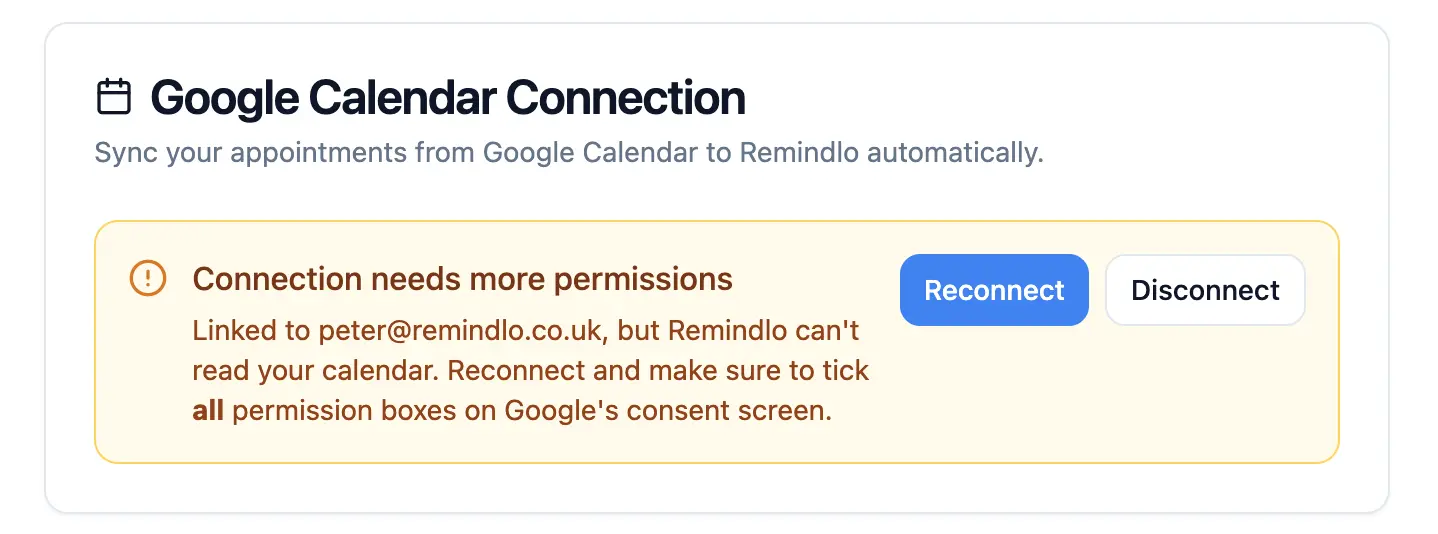
If Google Calendar is connected but Remindlo does not have all the permissions it needs, the dashboard now shows a clearer warning and gives you a direct way to reconnect. This helps avoid situations where the integration looks connected, but calendar events cannot be read properly.
We also improved the setup flow after authorization. Remindlo can now help assign new calendar contacts to a default campaign, so events synced from Google Calendar are more likely to start the right reminder workflow automatically.
Default Campaign and Phone Prefix Settings
You can now configure default settings for contacts created from Google Calendar events. This includes choosing a default campaign and setting a default country prefix, such as +44 or +1 etc.
The country prefix helps Remindlo normalize phone numbers when customers are added to calendar events without an international dialing code. This reduces manual cleanup and makes reminder creation more dependable and generally easier for you.
Better Support for Long-Term Appointments
Remindlo now supports Google Calendar event syncing further into the future, up to 37 months. This is useful for businesses that schedule long-term or recurring appointments, such as MOT tests, boiler servicing, dental check-ups, vaccinations, annual reviews, and renewal reminders.
We also added a weekly catch-up sync for future events. If an event was originally created far ahead of time, Remindlo can pick it up later when it enters the supported sync window.
In practice, this means fewer long-term appointments are missed and more future reminders can be handled automatically.
Improved CSV Contact Import
We improved CSV contact imports to make them more reliable across different date formats and time zones.
Remindlo now accepts appointment dates in several common formats, including YYYY-MM-DD, DD/MM/YYYY, DD-MM-YYYY, and DD.MM.YYYY. Imported appointment dates are interpreted using your account time zone, so reminder dates stay aligned with your business location.
We also tightened phone number validation during import. Phone numbers should now use international E.164 format, for example +447912345678. This helps prevent delivery issues before contacts are added and makes imported data cleaner from the start.
The Contacts view also displays upcoming due dates using your account time zone, so imported reminders are easier to review after upload.
Pricing and Checkout Updates
We improved pricing and checkout in a few ways:
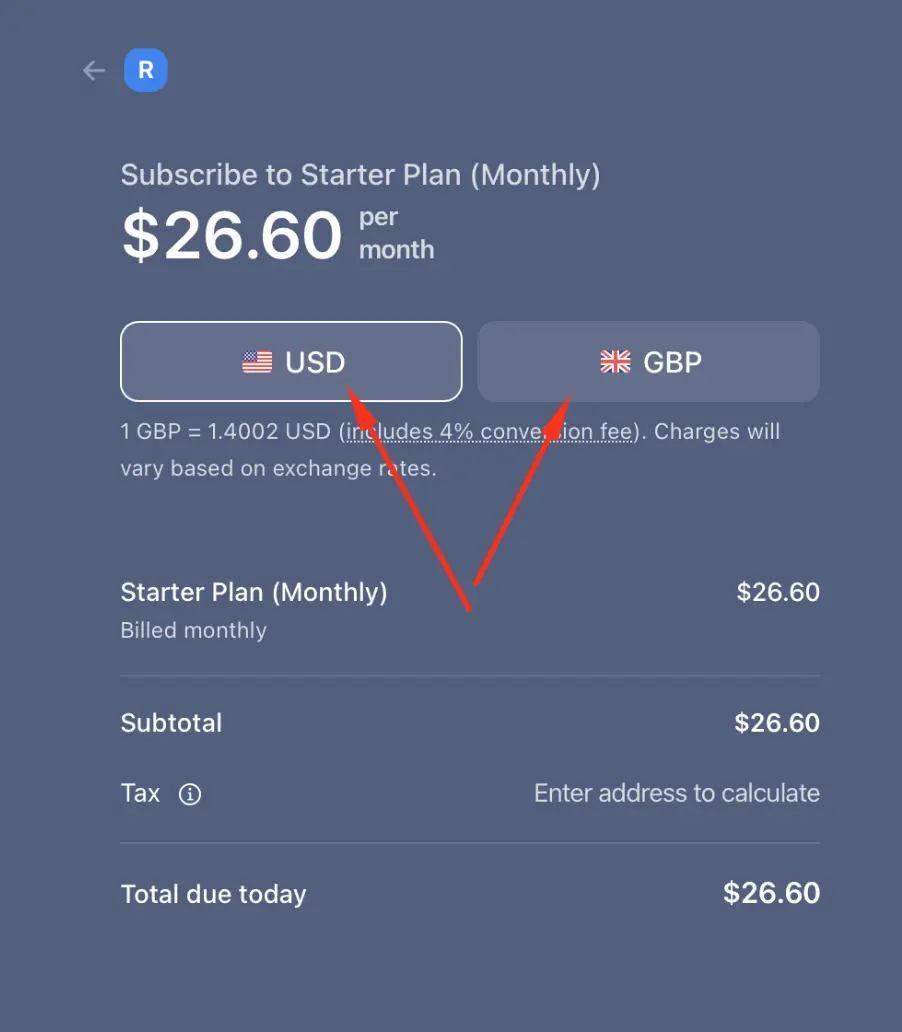
Support for local-currency checkout. From now on, you can pay in your local currency. We support 30+ of them
Pricing behavior that adapts better based on user time zone.
Cleaner redirects to the pricing page from checkout and payment flows.
Improved pricing page layout on mobile devices.
We also refined some pricing copy, including how SMS overage information is presented for better transparency.
Clearer SMS Length Warning in Templates
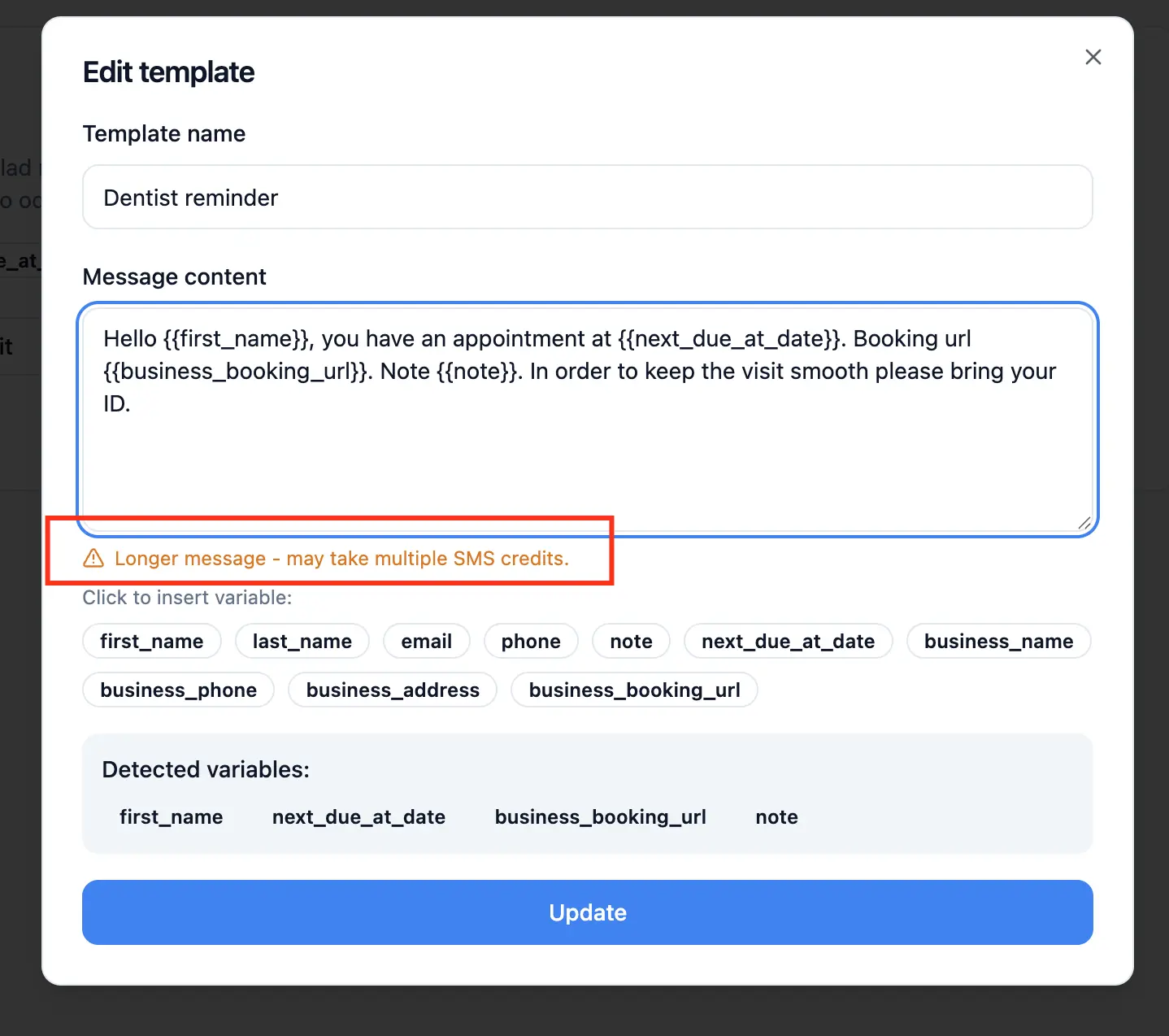
The template editor now shows a clearer warning when your SMS content goes over the standard single-message character limit. This makes it easier to spot when a message will use multiple SMS segments before you save or send. You have control over how long the message is going to be.
Mobile Dashboard Improvements
We shipped several UI fixes aimed at smaller screens and landscape mobile usage:
Improved the Message Thread layout so conversations are easier to use in landscape mode.
Reduced vertical space in headers and message composer areas.
Improved dialog scrolling on smaller mobile screens.
Reduced visual clutter from premium upsell messaging on compact layouts.
It means you can use Remindlo more fluently with a better UX, whether you are on your desktop or working with customers on your mobile device.
What This Means for Users
The practical impact of this release is straightforward: easier setup, more reliable Google Calendar SMS automation, fewer surprises in pricing, and a smoother dashboard experience on mobile.
If you are using Remindlo to run reminders from Google Calendar, this is a meaningful upgrade to both onboarding and day-to-day usability.