Choosing MOT Reminder Software: 12 Questions to Ask Before You Buy
 by Peter Bednarek, Founder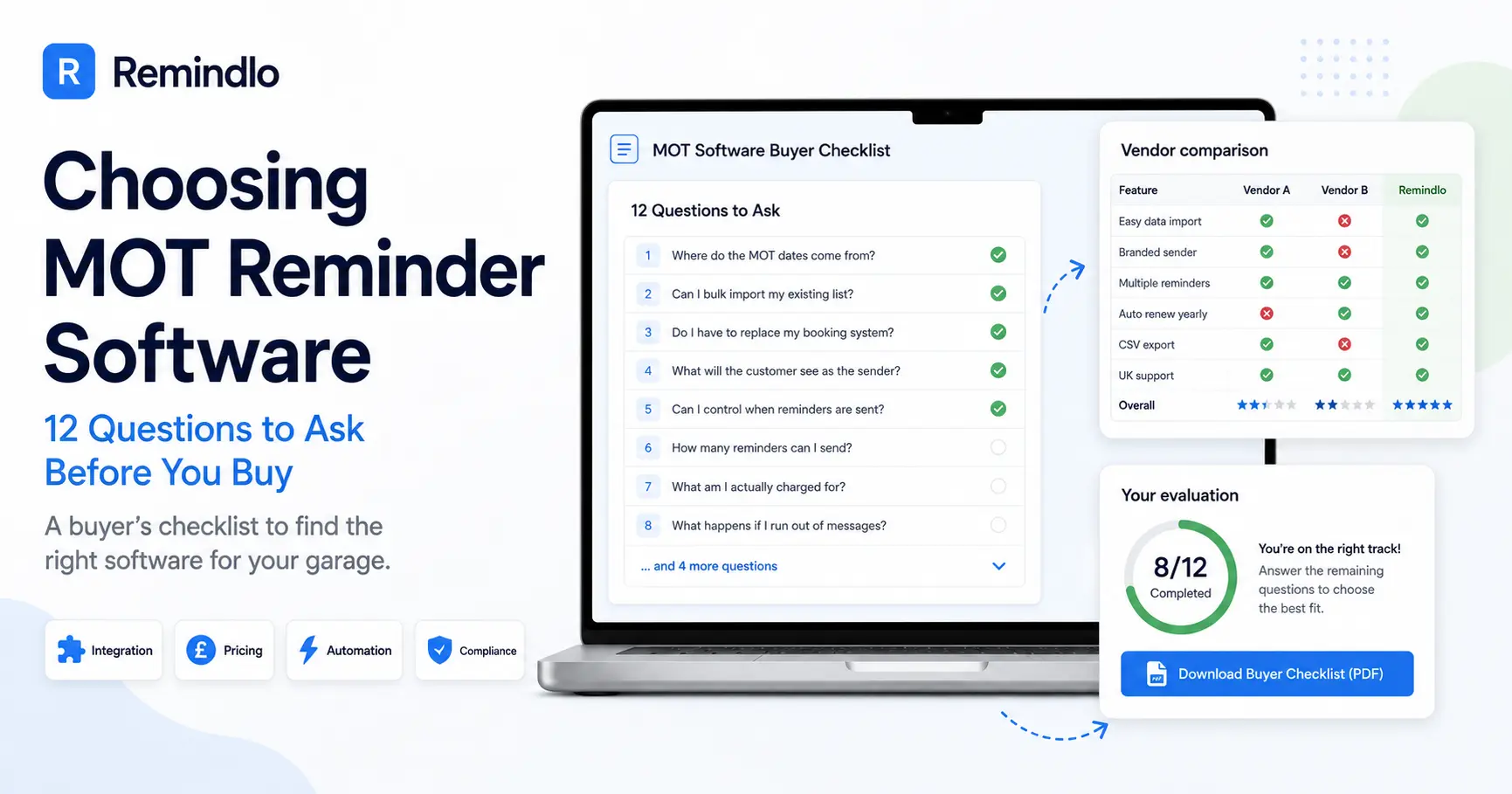
Contents
Quick answer
To choose MOT reminder software, ask twelve questions before you pay: where the MOT dates come from, whether it imports your existing list, what the customer sees as the sender, whether you control the timing, what you are charged for, what happens when you run out of messages, and whether next year's reminder schedules itself.
Most MOT reminder tools look identical on a website. Every one of them promises automatic texts, fewer no-shows, and more repeat bookings. The differences only show up about six weeks in, usually as one of three unpleasant surprises: you are typing every MOT date in twice, the messages arrive from a number your customers do not recognise, or the whole thing quietly stopped working because nobody re-entered this year's dates.
The questions below came out of a real buying conversation with a UK MOT test centre that was comparing options and asked exactly the right things. They are ordered the way a garage owner actually thinks about it: does it fit how I work, will the messages land, what does it really cost, and will it still be running next year. For each one there is why it matters, what a good answer sounds like, and the red flag to walk away from.
If you have not yet shortlisted anyone, start with our comparison of MOT reminder systems and garage software, then bring this list to the demos.
Prefer it on paper? Download the MOT Reminder Software Buyer Checklist (one-page PDF). Same twelve questions, plus what to ask for on each one and three tick columns so you can score up to three vendors on a single sheet. No email required.
First, know which of the three types you are comparing
The UK market splits into three groups, and the right questions differ slightly for each.
Reminder modules inside garage management software. Systems like Motasoft Virtual Garage Manager, MOT Manager or BookMOT include reminders as one feature among invoicing, VHC, job cards and bookings. Strong if you want one system for everything, heavier if reminders are the only thing you are missing.
Dedicated MOT reminder tools. Products built specifically to text drivers when a test is due, including MOTText-style services and general reminder platforms like Remindlo that run on top of whatever diary you already use (dedicated system, paper diary, Google Calendar, Outlook, iCloud or others). Faster to start, but you keep your existing booking setup.
Raw SMS gateways. Bulk-texting accounts with no MOT logic at all. Cheapest per message, and someone in your business becomes the scheduling system.
Whichever route you take, the twelve questions apply. A dedicated tool that cannot import your list is no better than a garage system you never finish configuring.
The 12 questions
1. Where do the MOT dates come from, and will I be typing them twice?
This is the question that decides whether the system survives. If every MOT date has to be keyed in by hand, in addition to being written in your diary or your garage system, then reminders have become a second admin job, and second admin jobs get dropped in a busy week.
A good answer: dates flow in from something you already maintain, whether that is a calendar (Google, Outlook, Apple, or anything that supports iCal), an export from your garage software, a CSV, or a photo of a paper diary. Ideally the tool reads a date once and never asks again.
Red flag: "You just add each customer in the dashboard." Fine for 40 customers. Not fine for 1,400.
2. Can I bulk import my existing customer list, and in what format?
You already own the asset that makes reminders profitable: years of names, mobile numbers, registrations and test dates sitting in your garage system or a spreadsheet. A tool that cannot swallow that list in one go has thrown away most of its value on day one.
A good answer: CSV upload with a documented template, including the columns you actually have (name, mobile, reg, make/model, MOT expiry date), plus sensible handling of duplicates so re-importing does not create the same customer twice. If you are still on paper, ask whether they can read a photo of the diary. Remindlo does this in about thirty seconds a page, described here.
Red flag: "Send us your file and we will import it for you" as the only option. That is fine once, at setup. It is not a way to run a business every month.
3. Do I have to replace my booking system or garage software?
Plenty of garages have been sold a full platform when what they needed was reminders. Migration is where enthusiasm goes to die: two weeks of double entry, staff learning a new job card layout, and a monthly fee three times the size of the problem it solved.
A good answer: the tool works alongside what you have, or the vendor is honest that it is a full replacement and prices and scopes it accordingly.
Red flag: any answer that requires you to stop using the diary your team actually trusts.
4. What will the customer see as the sender?
Two thirds of the value of an MOT reminder is the customer knowing instantly which garage it came from. There are two workable models and one bad one.
A good answer: either a branded alphanumeric sender name, or a dedicated number, plus your garage name, phone number and booking link inside the message body. Ask for a real example. A reminder that opens "Hi Jenny, Riverside Motors here, your MOT is due next week" is doing its job regardless of what the sender field says.
Red flag: a shared shortcode with the provider's brand on it, no business name in the body, or vague answers about deliverability. Also worth asking directly: is your business name available as a sender in the UK, and does that mean customers can reply?
5. Can the message include my booking link and phone number?
The reminder is not the point. The rebooking is. Every extra step between the text and a booked slot costs you conversions.
A good answer: full control of the message body, with variables for first name, vehicle, registration and expiry date, plus room for your booking URL or a tappable phone number. Ask to see the character count, because a long URL can push a message into a second segment and double the cost per send.
Red flag: fixed templates you cannot edit, or no link support.
6. Can I set my own timing, and send more than one reminder?
One text is a coin flip. A short sequence is a system. Most garages do best with a first reminder three to four weeks out, then a nudge in the final week for anyone who has not booked. Some also want a reminder timed to the annual service rather than the MOT.
A good answer: you choose the offsets, per campaign, and can run several reminders per vehicle without setting each one up by hand. Quiet hours matter too, because a 6am text about an MOT reads as spam.
Red flag: a single fixed reminder, or a system where a second touch means a second manual list.
7. What am I actually charged for: messages, customers, or both?
This is the question that changes the maths at scale. A tool that charges per stored contact punishes you for having a big customer list, which is exactly the asset you are trying to use. A tool that charges per message is predictable: you know your MOT volume.
A good answer: clear pricing on one axis. Remindlo, for example, does not limit how many customers or vehicles you store and charges only for messages sent, on plans from £19 a month for 75 messages up to £49 for 250, with a free tier of 10 messages a month to test with. Also ask about long messages: at 160+ characters a text becomes two segments, and some providers bill accordingly.
Red flag: per-contact pricing combined with per-message pricing, setup fees, or "call us for a quote" on a product this small.
8. What happens when I run out of messages halfway through a busy month?
March and September are not average months. If your allowance runs dry mid-sequence, you need to know whether the reminders stop, queue, or cost extra without warning.
A good answer: either an automatic top-up you switch on deliberately (Remindlo adds a 50-message pack for £9 when you run low, which works out at £0.18 a message, less on bigger packs) or a clear block with a notification. Both are fine. What matters is that you chose it.
Red flag: silent overage billed at the end of the month, or messages that fail quietly with no alert. Ask what the notification looks like and who receives it.
9. Does next year's reminder schedule itself?
An MOT is a twelve-month cycle, which makes this the single most underrated question on the list. If nothing advances the due date after a test, then in twelve months' time your reminder system is a stale list, and someone has to re-enter every date by hand. That is the point at which most garages stop using the tool and forget they are paying for it.
A good answer: mark the job as a recurring service on a twelve-month interval and the system rolls the next due date forward on its own and reschedules the whole sequence. Ask whether the new date is calculated from the previous due date or from today, because "from today" drifts a few days every year and eventually your reminders arrive after the MOT has expired.
Red flag: "You just update the dates each year."
10. How are consent and opt-outs handled?
MOT reminders to your own past customers about a service they have used sit comfortably as service messages, which is the easy case. Win-back and promotional texts do not, and PECR attaches the opt-out obligation to every individual marketing message. You need to know the mechanism before you send the first batch, not after a complaint.
A good answer: consent recorded per contact, an opt-out route stated in the message, and opt-outs that stick so the contact is excluded from future sends. Ask specifically how opt-out works on a UK branded sender name, because a one-way sender name means a customer physically cannot reply STOP. In that case the honest answer is a contactable route: your garage's phone or email, or the provider's abuse address. Remindlo documents exactly how this works on its messaging policy page.
Red flag: "Customers just reply STOP" with no follow-up question about whether the sender can actually receive replies. That answer is often wrong in the UK, and the difference matters if the ICO ever asks.
11. Can I export my data and leave?
Your customer list is the most valuable thing your garage owns and the reason it is worth automating reminders at all. A tool that makes it awkward to get the list back out has quietly taken your asset hostage.
A good answer: self-service CSV export, or an API you can pull from, available on demand and without a support ticket.
Red flag: no export, export only on cancellation, or a fee. Ask this before you sign, and ask for a test export in the trial.
12. How long until it is actually running, and who helps me set it up?
The gap between "signed up" and "first reminder sent" is where most of these projects die. Be specific: ask what has to happen this week for the first text to go out.
A good answer: a number of minutes or hours, not weeks, plus a named route to a human when the import behaves oddly. For a reminder-only tool this should be an afternoon at most: connect a calendar or upload a CSV, edit one template, set the timing, done.
Red flag: onboarding measured in weeks, training days that need paying for, or a setup that depends on your garage software vendor doing something first.
The one-page version to take to a demo
Print it or take the table below. The printable checklist (PDF) is the same twelve questions on one A4 sheet, with tick columns for three vendors and the red flag to listen for on each answer.
# | Question | Ask for |
|---|---|---|
1 | Where do the MOT dates come from? | A live demo of the import or calendar sync |
2 | Bulk import of my existing list? | The CSV template |
3 | Do I have to replace my booking system? | A straight yes or no |
4 | What does the customer see as the sender? | A screenshot of a real received text |
5 | Can I include my booking link? | The character count with your URL in it |
6 | Can I control timing and send a sequence? | The settings screen, not a promise |
7 | Charged per message, per contact, or both? | Total monthly cost at your test volume |
8 | What happens when the allowance runs out? | The exact notification and the price |
9 | Does next year schedule itself? | How the next due date is calculated |
10 | Consent and opt-outs? | The opt-out mechanism for your sender type |
11 | Can I export and leave? | A test export during the trial |
12 | Time to first message sent? | A date, and a named contact |
Two more things worth doing before you commit. Send yourself a real reminder to your own mobile, exactly as a customer would receive it, and look at it on the phone rather than the demo screen. And run the numbers on your own volume rather than the vendor's example: at roughly £55 a test, a garage doing 1,000 MOTs a year that recovers even five forgotten customers a month has covered any of these tools several times over. That maths is why the retention side of a garage usually pays better than more advertising.
Frequently Asked Questions
Do I need MOT-specific software, or will a general SMS tool do?
A general SMS tool will send texts, but it does not know that an MOT is a twelve-month cycle, so somebody has to decide who gets a message each week. What makes reminder software worth paying for is the scheduling logic: a stored due date, a timing rule, and a due date that advances after the test. Ask any general tool question 9 above and the difference becomes obvious quickly.
How much should MOT reminder software cost a small garage?
For reminders alone, expect somewhere between free and about £50 a month depending on volume, with dedicated tools clustering around £19 to £30. Full garage management platforms that include reminders run higher, commonly £50 to £150 a month, because you are buying invoicing, job cards and bookings alongside. Judge it against a single recovered MOT rather than against the cheapest line on the market.
Should I switch reminder tools if my current one works?
Only if it fails one of the questions that costs you money every month: manual date entry, no sequence, no export, or reminders that stopped advancing after the first year. Switching for a slightly lower per-message price is rarely worth the disruption. Switching because you are re-keying 1,400 dates by hand always is.
Can I test MOT reminder software before paying?
Yes, and you should insist on it. A free tier or trial that lets you import a handful of real customers, send yourself a real message, and export the data again tells you more in an hour than any demo. Remindlo's free tier includes 10 messages a month with no card required, which is enough to run exactly that test.
What is the difference between this and the free DVSA MOT reminder?
The DVSA's free service reminds an individual driver about their own vehicle, and it does not mention your garage. It is useful to a motorist and worth nothing to your rebooking rate. MOT reminder software sends the reminder in your business's name, with your booking link, to your own customer list. The two are not alternatives.
We took the free service apart in detail in DVSA texts your customers before their MOT, and it never mentions your name: what it actually sends, when in the month it lands, and why that leaves the booking up for grabs.
The bottom line
The tool you choose matters much less than whether it is still running in eighteen months. Every question on this list is really a version of the same one: after setup, how much work does this leave with me? If the honest answer is "a bit each week", the reminders will stop, whatever the feature list said.
Bring the twelve questions to whoever you are talking to, ask for a text on your own phone, and check what happens to next year's dates. If you want to see what the answers look like in practice, Remindlo's MOT reminder software is free to start with 10 messages a month, needs no card, and takes about five minutes to get the first reminder scheduled. Start free and test it against this list yourself.