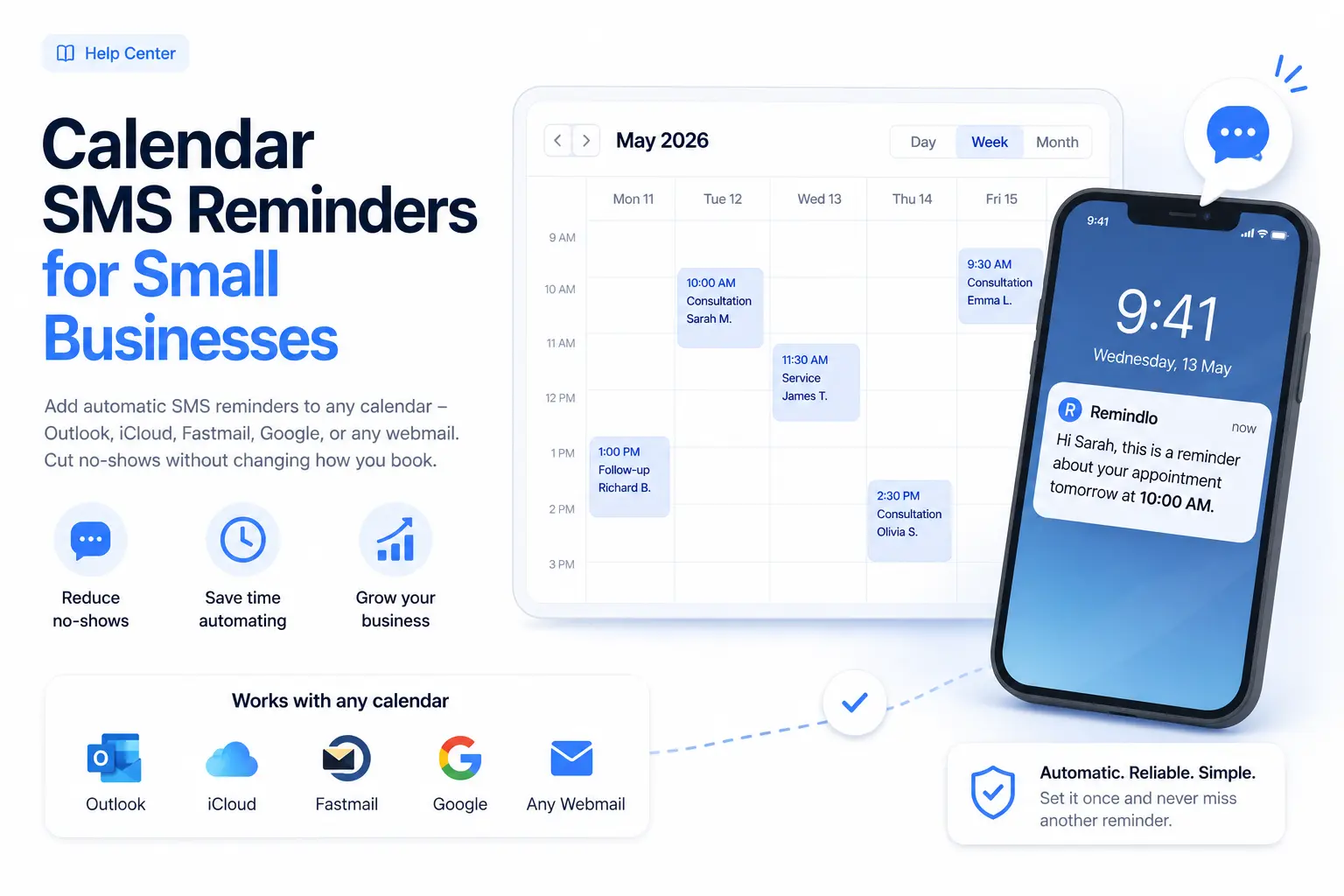
Calendar SMS Reminders for Small Businesses
Connect Google Calendar and Microsoft Outlook directly, or use an ICS feed for iCloud and other calendars. Add client mobile numbers and enable a reminder campaign.
Contents
- What You Need
- Why SMS Reminders Beat Email
- How Remindlo Reads Your Calendar
- Path 1: Google Calendar (Recommended for Google Users)
- Path 2: Microsoft Outlook / Microsoft 365 (Direct Connection)
- Path 3: Universal ICS (Published Calendar Feed)
- Where to Put Phone Numbers in Calendar Events
- Where the client's name comes from
- Connect Your Calendar to Remindlo
- Google, Microsoft or ICS - Which to Choose
- Tips and Best Practices
- Troubleshooting
- Related Guides
- Need Help?
Missed appointments are expensive. Industry data puts the cost of a single no-show at 20-40% of the booking value, and most small businesses see no-show rates between 5% and 30%, depending on the sector. A short text message a day or two before the appointment is the cheapest, most reliable way to recover that revenue - clients see it on their phone, and either show up or rebook in advance.
This guide is the full picture: what calendar SMS reminders are, why they work, and how to set them up with whatever calendar your business already uses - Google, Outlook, Apple iCloud, Fastmail, Yahoo, your hosting webmail, or anything that publishes calendar data over a standard URL.
What You Need
A calendar where you record appointments. Any of the providers below works.
A phone number for each client, captured somewhere in the event details.
A Remindlo account - create one for free. The free plan covers small businesses sending up to 10 reminders per month; paid plans start at £19 / $26.
Why SMS Reminders Beat Email
Email reminders are easy to ignore. SMS reminders are not. Three reasons SMS works for appointment-based businesses:
Open rates over 90% within 5 minutes. Email open rates hover around 20-30%, and most opens happen hours later, when the reminder is no longer useful.
Visible on the lock screen. Clients do not need to open an app or check a folder. The reminder shows up where they already look.
Two-way replies. Clients can text back to confirm, reschedule, or cancel. With Remindlo, replies appear in your dashboard, so nothing falls through the cracks.
How Remindlo Reads Your Calendar
Remindlo connects to your calendar in one of three ways, depending on what you already use:
Google Calendar - direct integration. If you use Google Calendar (or anything that syncs to it, like Cal.com / Calendly), Remindlo connects via Google's official API. Sync runs every few minutes, deletions are handled automatically, and setup takes about a minute.
Microsoft Outlook / Microsoft 365 - direct integration. Connect Microsoft Account in Remindlo’s Integrations dashboard. Remindlo reads the account’s default calendar through Microsoft Graph, without a published URL or an Outlook add-in. Your organisation may require administrator approval.
Universal ICS - a published calendar feed. Outlook, iCloud, Fastmail, Yahoo, Nextcloud, Zoho, ProtonMail, and most webmail/hosting calendars publish their data over a standard called iCalendar (ICS). You paste the calendar's public URL into Remindlo and we poll it every hour for new and changed events.
All three paths feed the same reminder pipeline: Remindlo extracts the phone number from the event, schedules SMS messages based on your campaign timing, and sends them from a dedicated number that your clients can reply to.
Path 1: Google Calendar (Recommended for Google Users)
If you already use Google Calendar - or use a booking tool like Cal.com, Calendly, or Acuity that syncs to Google Calendar - this is the simplest setup. Sync is faster, deletions are picked up immediately, and you do not need to keep a publish URL alive.
See our detailed walkthrough:
→ How to Integrate SMS Reminders into Google Calendar
We also have specific guides for booking platforms that sync to Google:
Path 2: Microsoft Outlook / Microsoft 365 (Direct Connection)
Connect Microsoft Account from the dashboard
Open Integrations in Remindlo and find the Outlook / Microsoft 365 connection.
Click Connect Microsoft Account, sign in to the Microsoft account that holds your appointments and accept the requested permissions. For a work or school account, your administrator may need to approve the connection.
Return to Remindlo and check that the connection shows Connected. The direct integration reads the account's default calendar. Appointments stored only on your device, or in a different calendar, are not included by this connection.
Add a test appointment with your own mobile number in the description, for example
Phone: +447912345678. In Campaigns, start an SMS reminder campaign and enable Auto-enrol new contacts. Choose an appointment time that leaves room for the sync and your reminder schedule, then check the contact and scheduled message in Remindlo.
Sync runs on Remindlo's servers, so Outlook does not need to stay open. You can keep editing the connected Microsoft calendar in Outlook on the web, Windows, Mac or mobile. No Outlook add-in or marketplace installation is required.
A synced contact is not proof that an SMS is scheduled. SMS reminders need a usable mobile number on the event and an eligible running campaign. A guest email can create an email-only contact, but cannot receive an SMS. If you use local phone numbers, set the default country prefix in Remindlo Settings. An event with neither a usable phone number nor a guest email has no recipient for a reminder.
See the Outlook setup guide for direct connection steps and the optional ICS route.
Path 3: Universal ICS (Published Calendar Feed)
Use an ICS publish URL for iCloud and other calendars that offer a feed, or as an alternative for Outlook. Google and Microsoft users can use the direct connections above. An ICS URL gives read access to the calendar, so treat it as a secret.
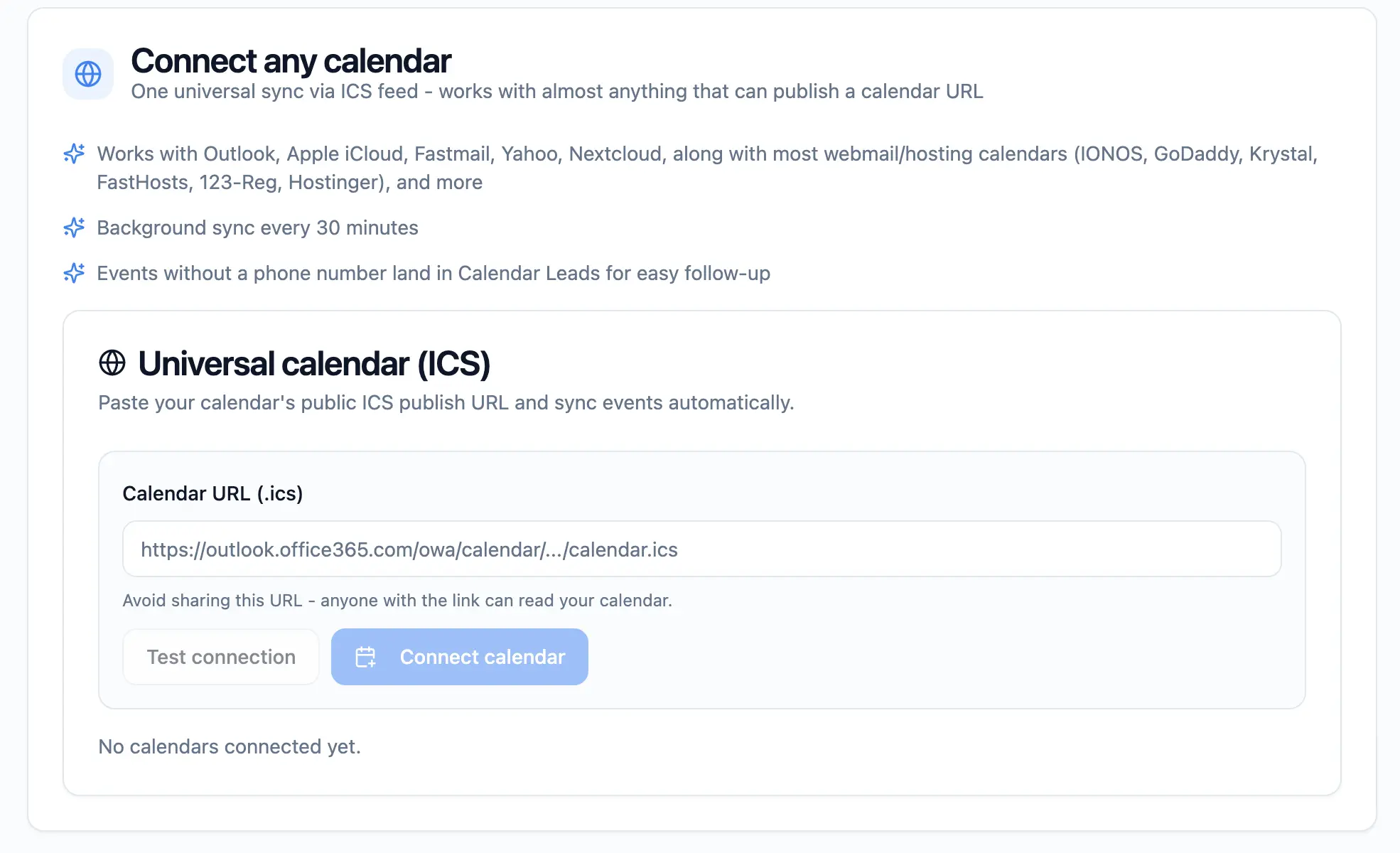
Once you have the URL, paste it into Remindlo's Connect any calendar section in Integrations. Click Test connection to verify, then Connect calendar to save.
Microsoft Outlook / Office 365: optional ICS route
The direct Microsoft connection above is the usual starting point. Follow these publishing steps only if you choose ICS. Do not connect the same calendar through both routes.
Open Outlook on the web (outlook.live.com or outlook.office.com).
Go to Settings (gear icon) → View all Outlook settings.
Open Calendar → Shared calendars.
Under Publish a calendar, select the calendar you want Remindlo to read.
Choose Can view all details to include the notes. If only titles are available, put the phone number in the title.
Click Publish and copy the ICS link (not the HTML link). The URL will end in
.ics.
Treat this URL as a secret - anyone with the link can read your calendar. Remindlo stores it encrypted and never displays it back to you after save.
See our detailed blog post on How to Automate Appointment Reminders with Outlook Calendar, or the Outlook and Office 365 integration overview for what it does once it is connected.
Apple iCloud Calendar
Open iCloud.com and sign in, then click Calendar.
Hover over the calendar name in the left sidebar and click the share icon that appears.
Tick Public Calendar.
Copy the URL Apple shows. It will start with
webcal://.Paste that link into Remindlo. Apple's webcal scheme is just an iCalendar URL; the https version works everywhere and we'll handle it on our side.
See our detailed post on How to Send SMS Reminders from iCloud Calendar (Apple), or the iCloud and Apple Calendar integration overview for what it does once it is connected.
Fastmail
In Fastmail, open Calendar.
Hover over the calendar in the sidebar and click the three-dot menu → Sharing.
Tick Make this calendar publicly available.
Copy the iCalendar (ICS) link.
Yahoo Calendar
Yahoo Calendar's public sharing has changed over the years. The current path:
Open Yahoo Calendar.
In Calendar Options → Sharing, generate a private subscription link.
Copy the link. If only an HTML preview link is offered, look for an iCal/ICS option - it may be hidden under Advanced or Subscribe.
Zoho Mail Calendar
Open Zoho Calendar.
Go to Settings → Calendars, find the calendar, and select Public as the visibility.
Copy the ICS feed URL Zoho generates.
Proton Calendar
In Proton Calendar, click Settings → Calendars.
Choose the calendar you want to share.
Under Share with anyone, generate a public link and copy it.
Nextcloud Calendar
Open the Calendar app in your Nextcloud instance.
Hover over the calendar and click the three-dot menu.
Choose Share link and copy the iCal subscription URL (it will end in
?exportor contain/dav/).
Webmail Hosting (IONOS, GoDaddy, Krystal, FastHosts, 123-Reg, Hostinger)
Most UK and EU hosting providers bundle a webmail product based on cPanel, Roundcube, or Open-Xchange. The exact menu names differ slightly between hosts, but the path is consistent:
Log in to your webmail through your hosting account (e.g.
webmail.yourdomain.co.ukor your host's webmail portal).Open the Calendar module.
Look for Settings → Calendars or right-click the calendar in the sidebar. The option you want is labelled Publish, Subscribe, Share, or iCal feed.
Enable public access and copy the URL ending in
.icsor containing/dav/calendars/.
If your host doesn't expose a public ICS URL, contact their support - most can enable it on request, or point you at the right setting in cPanel.
Where to Put Phone Numbers in Calendar Events
Remindlo reads phone numbers from the event details. You have a few options:
Description / Notes field - easiest. Add a line like
Phone: +44 7912 345 678or just+447912345678. Remindlo recognises common labels (Phone, Tel, Mobile, Contact).Event title - works as a fallback. e.g. "Mary Smith 07912 345 678".
Format tip: E.164 format (+447912345678) is best because it includes the country code. UK local numbers (07912345678) work as well - set a default country prefix in your Remindlo settings, and we will add the +44 for you.
Where the client's name comes from
For automatic calendar imports, Remindlo looks in two places, in this order. A customer name explicitly saved through the Remindlo add-on takes priority over both.
The guest list. If you invite the client to the event, Remindlo uses the name supplied for the first eligible guest with a valid email address. This is the same guest selected for email reminders, unless an email address has been explicitly set through the add-on. Rooms, resources, guests who declined, the organiser and your own account are skipped. The calendar must supply a name: if it only supplies an email address, Remindlo moves on to the title. For an ICS connection, the published feed must include the guest's name; seeing it in your calendar app does not guarantee that it is in the feed. Names supplied as
Smith, Janeare reordered toJane Smith.The event title. If the selected guest has no usable name, Remindlo falls back to the title. It removes text recognised as phone numbers and the words
appointment,meeting,call,consultationandvisit. It then splits the remaining text at the first space: the first word becomes{{first_name}}and everything after it becomes{{last_name}}. It does not work out which remaining words describe the service or address. A title ofBoiler service - 07912 345678therefore produces "Hi Boiler" in a template that starts withHi {{first_name}}.
If you rely on the title, start with the client's first name to use {{first_name}}. Use {{last_name}} only when the title contains their name and, optionally, a phone number separated by a space: Mary Smith 07912 345678 becomes Mary and Smith. Avoid separators such as hyphens: removing the phone number does not remove the separator, so it can end up in the surname. Keep the service type, address and price in the notes. A client's name written only in the notes is not used for these name fields.
If your titles need to start with operational details, such as an address for the engineer, either invite the client as a guest whose name is available to Remindlo, or remove both {{first_name}} and {{last_name}} from your message templates and use a greeting such as "Hello". Send a test reminder to your own number to check the result before using the template for clients.
Connect Your Calendar to Remindlo
Sign in to your Remindlo dashboard.
For Google, click Connect Google Account. For Outlook or Microsoft 365, click Connect Microsoft Account. For a published feed, paste its URL into Universal calendar (ICS), click Test connection, then Connect calendar.
Set up your reminder timing in Campaigns, start the campaign and enable Auto-enrol new contacts. Test an event with your own mobile number and check its scheduled SMS.
That's it. Remindlo runs on autopilot from there. New events become contacts, reminders go out on schedule, and replies land in your dashboard.
Google, Microsoft or ICS - Which to Choose
Connection | Setup | Calendar access | Best for |
|---|---|---|---|
Google direct | Connect Google Account | Google Calendar through sign-in | Google users |
Microsoft direct | Connect Microsoft Account | The Microsoft account’s default calendar | Outlook.com and Microsoft 365 users; administrator approval may apply |
Universal ICS | Paste a published ICS URL | The calendar exposed by that feed | iCloud and other feed providers, or an optional Outlook route |
Use the direct connection for Google or Microsoft calendars. Choose ICS for other providers or when you need a separate published calendar. You can connect different calendars, but avoid connecting the same calendar through more than one route.
Tips and Best Practices
Send two reminders. One a few days before, one 24 hours before. This is the most effective pattern for reducing no-shows.
Include your business name in the message. Clients receive texts from a dedicated Remindlo number; saying who you are up front helps them recognise the message instantly.
Personalise with variables. Use
{{first_name}},{{business_name}}, and{{next_due_at_date}}in your templates so each message feels written by you.Make the phone number capture mandatory. If you take bookings online, require a phone number on the booking form. If you book by phone, paste the number into the event description as you create the appointment. The location field works too, as long as the number is the only thing in it or follows a
Tel:label.Test with your own number first. Add a calendar event for yourself with your phone number, watch Remindlo schedule the reminder, and verify it arrives at the right time.
Treat your ICS URL as a secret. Anyone with the link can read your calendar. Don't share it, don't post it publicly, and rotate it via your calendar's publish-settings if you suspect a leak.
Troubleshooting
"That doesn't look right" when testing the URL
This message means Remindlo could reach the URL, but what came back wasn't iCalendar data. The most common causes:
You copied the HTML preview link instead of the ICS link. Most calendar providers offer two URLs - one for viewing in a browser (HTML), one for subscribing in another calendar app (ICS). You want the ICS one. It usually ends in
.icsor contains/dav/.The calendar isn't actually public. Some providers generate a URL but require an additional "Publish" or "Make public" step. Re-check the sharing settings.
The URL needs
https://instead ofwebcal://. Apple iCloud and a few others give youwebcal://URLs by default. Replace the scheme withhttps://and try again.The link expired. If you previously generated the URL and then disabled publishing, the URL no longer resolves to a calendar. Generate a fresh one.
Phone numbers not detected
Make sure the number is in the event description or title. Other custom fields are not scanned.
Use a recognised format - E.164 (
+447912345678) is the safest. UK local formats work if you've set a default country prefix in Remindlo settings.Avoid mixing the phone number into a longer string of digits. Reservation IDs that look like phone numbers can confuse extraction. Label it:
Phone: 07912345678.
Some events are not getting reminders
The event is in the past. Remindlo doesn't schedule reminders for events that have already started - there's nothing to remind about.
The contact already received reminders for this event. Each event enrols once per campaign; we don't double-send.
SMS quota. Check your plan usage. If you've hit your monthly limit, either top up with an SMS pack or wait for the next billing period.
Wrong timezone on reminders
Confirm your business timezone in Remindlo Settings matches the timezone your calendar uses.
Sync looks stuck
ICS feeds poll every hour. New events show up on the next cycle, not instantly.
Open the Integrations page and check the Last sync timestamp on your feed. If it's red or hours stale, click Remove and reconnect with a fresh URL.
Related Guides
Need Help?
Stuck on a specific calendar provider, or seeing an error not covered here? Email us at support@remindlo.co.uk with the calendar product you're using and the error code shown in Remindlo. We'll get you connected.