SMS Reminders for Tax Preparation Offices: Reduce No-Shows and Get Paid Before the Appointment
 by Peter Bednarek, Founder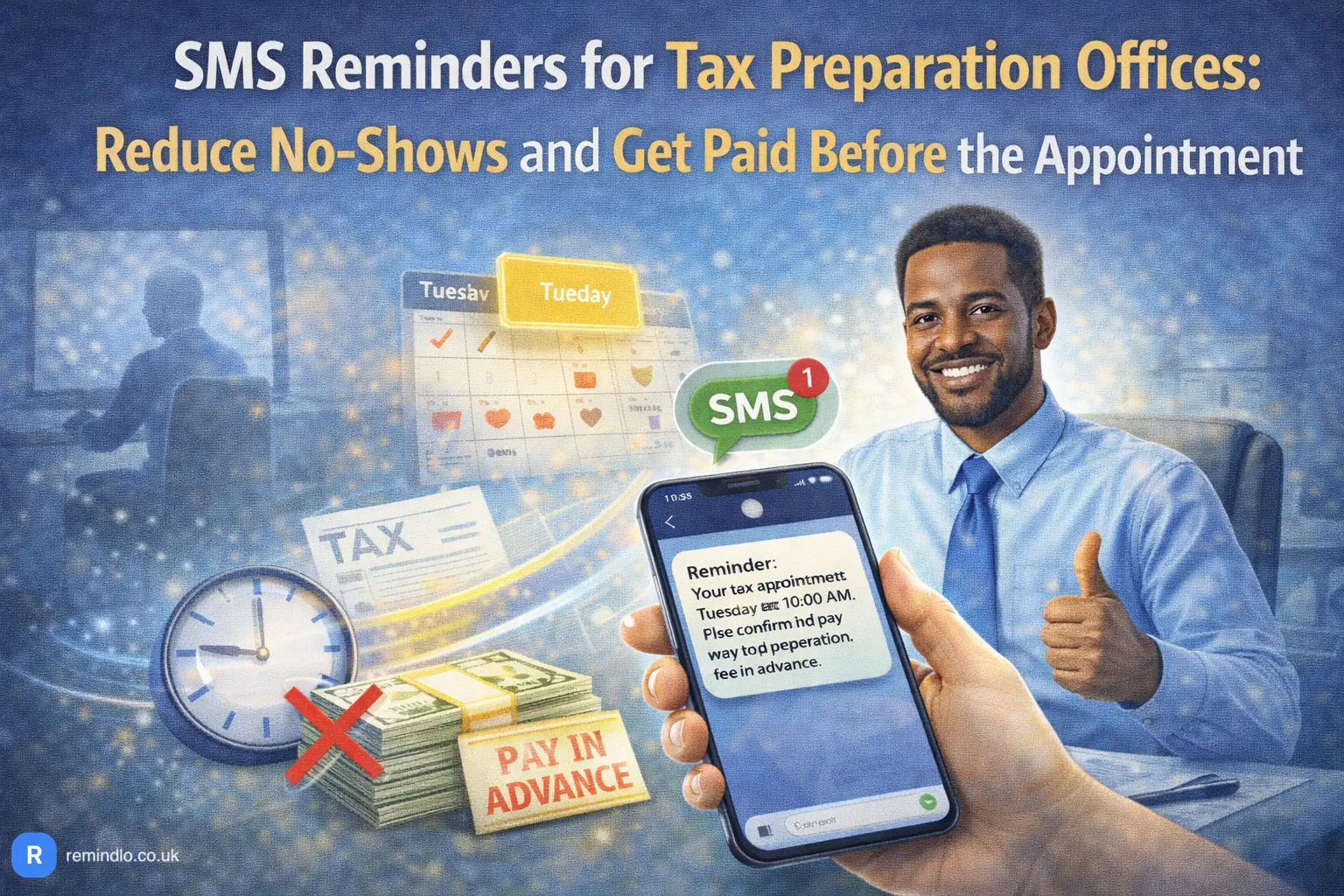
Tax preparation offices operate on appointments. A client books a slot, brings their documents, and sits down with a preparer who reviews everything, files the return, and collects payment. When that client doesn't show up, the slot is wasted. When they show up without the right documents or without paying, the appointment still happens but nothing gets filed.
Contents
- The two problems tax offices actually face
- Pre-appointment reminders: documents, payment, and directions
- Reactivation reminders: bringing clients back every tax season
- Why SMS and not email
- Setting up automated reminders without changing your workflow
- What about the off-season?
- Compliance: what you need to know
- How Remindlo works for tax preparation offices
- Getting started
- FAQ
Most small tax offices run into this problem repeatedly. The busier the season, the worse it gets. January through April is a sprint, and every missed or unprepared appointment costs real money. Outside of tax season, the challenge flips: clients who were perfectly happy with your work last year simply forget to come back because nobody reminded them.
This article covers both sides of the problem and explains how a simple SMS reminder system handles them without adding admin work to an already stretched operation.
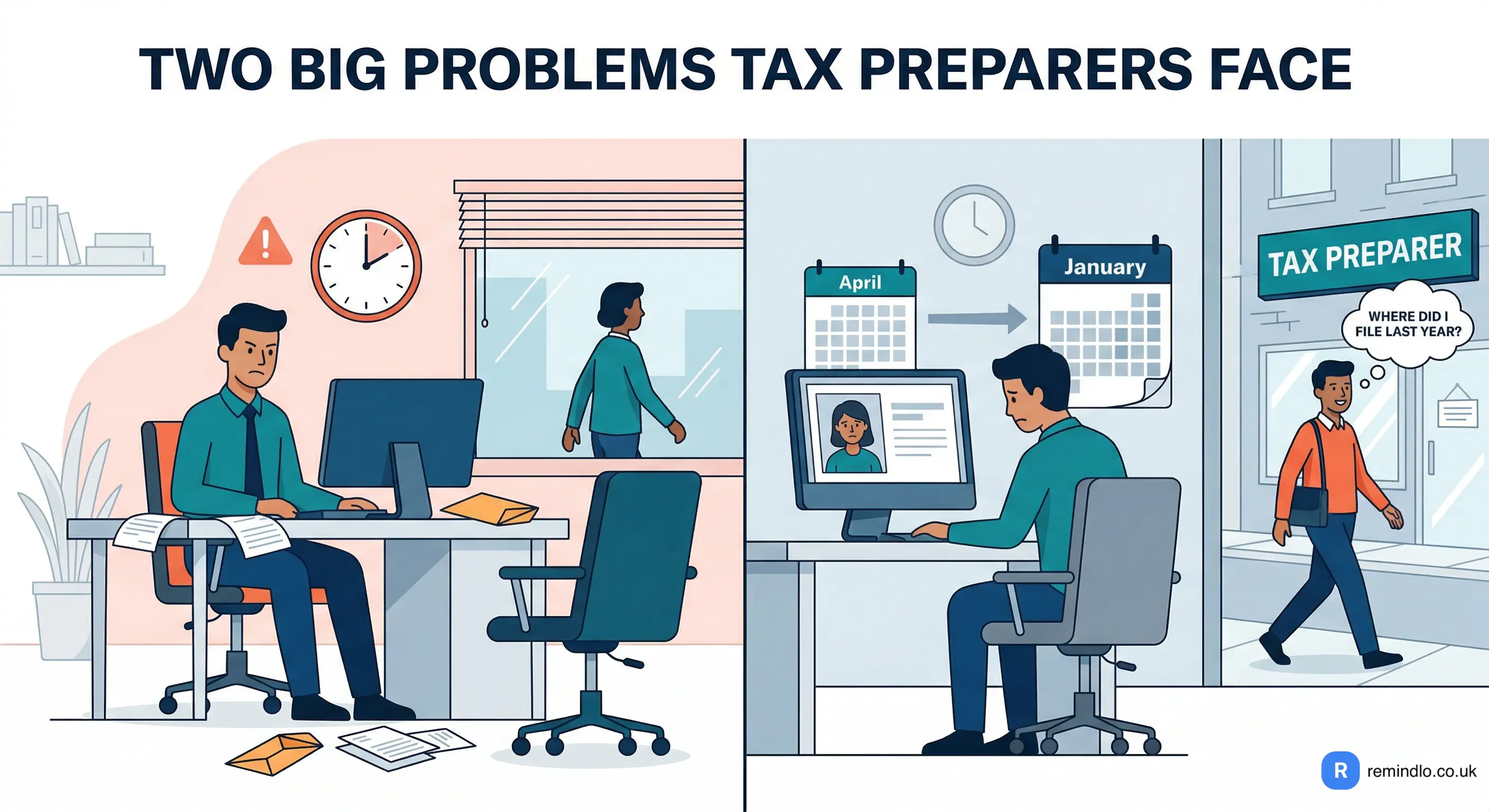
The two problems tax offices actually face
Tax preparation businesses deal with two distinct appointment challenges, and most office owners conflate them into one. They are not the same thing, and solving one does not solve the other.
The first is the pre-appointment problem. A client has booked a slot. They need to arrive on time, bring the correct documents, and in many cases pay before the return can be reviewed. When any of these steps fails, the appointment is either wasted entirely or becomes unproductive. The preparer sits idle, or spends the session chasing missing paperwork instead of filing.
The second is the reactivation problem. Tax returns are annual. A client who filed with you this April has no reason to think about taxes again until next January. By that point, they may have moved, changed accountants, or simply forgotten your name. They Google "tax preparer near me" and end up at the office down the street. You did excellent work for them. It does not matter. They forgot.
SMS reminders address both problems, but in different ways and at different times in the client lifecycle.
Pre-appointment reminders: documents, payment, and directions
A pre-appointment SMS does more than just say "don't forget your appointment tomorrow." For tax preparation, the reminder needs to carry specific instructions. Clients need to know what to bring, how to pay, and where to go.
Here is an example of what an effective tax appointment reminder looks like:
Hi {{first_name}}, this is a reminder of your upcoming appointment with [Business Name] on {{next_due_at_date}}.
Please have the following ready:
W-2s or 1099s from all employers
Photo ID
Last year's tax return (if available)
Payment must be received before we can review your return. Pay online: [payment link]
Office: [address] Questions? Call [phone number]
This single message, sent 24-48 hours before the appointment, accomplishes several things at once. The client confirms the time in their head. They start gathering documents. They see the payment link and can pay in advance. And if something has changed, they have the office number to call and reschedule rather than simply not showing up.
The key insight is that SMS has a 98% open rate. Emails with the same information sit unread. Phone calls go to voicemail. A text message gets read within minutes of delivery, which is exactly the response time you need when you are trying to prevent a no-show tomorrow morning.
The payment collection angle
For offices that require upfront payment, the reminder message becomes a direct revenue tool. Including a payment link in the SMS (Zelle details, a card payment URL, or a portal link) turns the reminder into an invoice delivery mechanism. The client reads the text, taps the link, pays, and arrives prepared. No awkward conversation at the front desk about payment. No canceled appointments because "I forgot my wallet."
Another option if you don't collect payments online (at least yet), is to clearly explain what payment methods are accepted at the premises, so your customer is not surprised.
This is not a theoretical benefit. Tax offices that include payment instructions in their reminder messages report fewer cancellations and faster appointment turnover, because the financial commitment is made before the client walks through the door.
Reactivation reminders: bringing clients back every tax season
The appointment reminder solves the short-term problem. Reactivation solves the long-term one.
When tax season ends, most offices stop communicating with their clients entirely. There is no touchpoint between April and the following January. That is nine months of silence during which your competitor's Google Ads, Yelp listing, or storefront sign is more visible than your last interaction.
An automated reactivation message, sent in December or early January, changes this dynamic completely:
Hi {{first_name}}, it's tax season again. [Business Name] is now scheduling appointments for 2026 returns. Book early to get your preferred time: [booking link or phone number]. We look forward to seeing you again.
This message costs pennies to send and goes to a client who already knows your work, trusts your office, and was happy last time. The only reason they would go elsewhere is if they forgot about you. The SMS makes sure they don't. That's also the best way to use your most valuable assets - your customer list.
The maths are straightforward. If your average tax return fee is $200-400 and you recover even ten clients per season who would otherwise have drifted away, the reminder system pays for itself many times over. For a deeper look at how reactivation works across service businesses, see Your Past Customers Forgot About You. Here's How to Fix That.
Why SMS and not email
Tax offices often already send email reminders or appointment confirmations through their booking system. The problem is that email open rates for small business communications hover around 20-25%. For a time-sensitive message like "your appointment is tomorrow, please pay in advance," that is not good enough.
SMS gets read. Within three minutes, on average. There is no spam folder, no promotions tab, no "I didn't see your email" excuse. For a business where a single no-show can cost $200+ in lost revenue and wasted preparer time, the difference between 20% and 98% open rates is not marginal. It is the difference between a system that works and one that does not.
This does not mean you should stop sending emails. Email is fine for longer-form communication: document checklists, engagement letters, tax planning newsletters. But for "your appointment is tomorrow" or "it's time to book your annual return," SMS is the right channel.
Setting up automated reminders without changing your workflow
The most common concern from tax office owners is that adding a reminder system means learning new software, migrating client data, or changing how appointments are booked. It does not have to.
If your office already uses Google Calendar to manage appointments, you can connect it to an SMS reminder tool and have reminders sent automatically for every appointment that includes a client phone number. No double entry. No new booking system. You keep scheduling the way you already do, and reminders go out on autopilot.
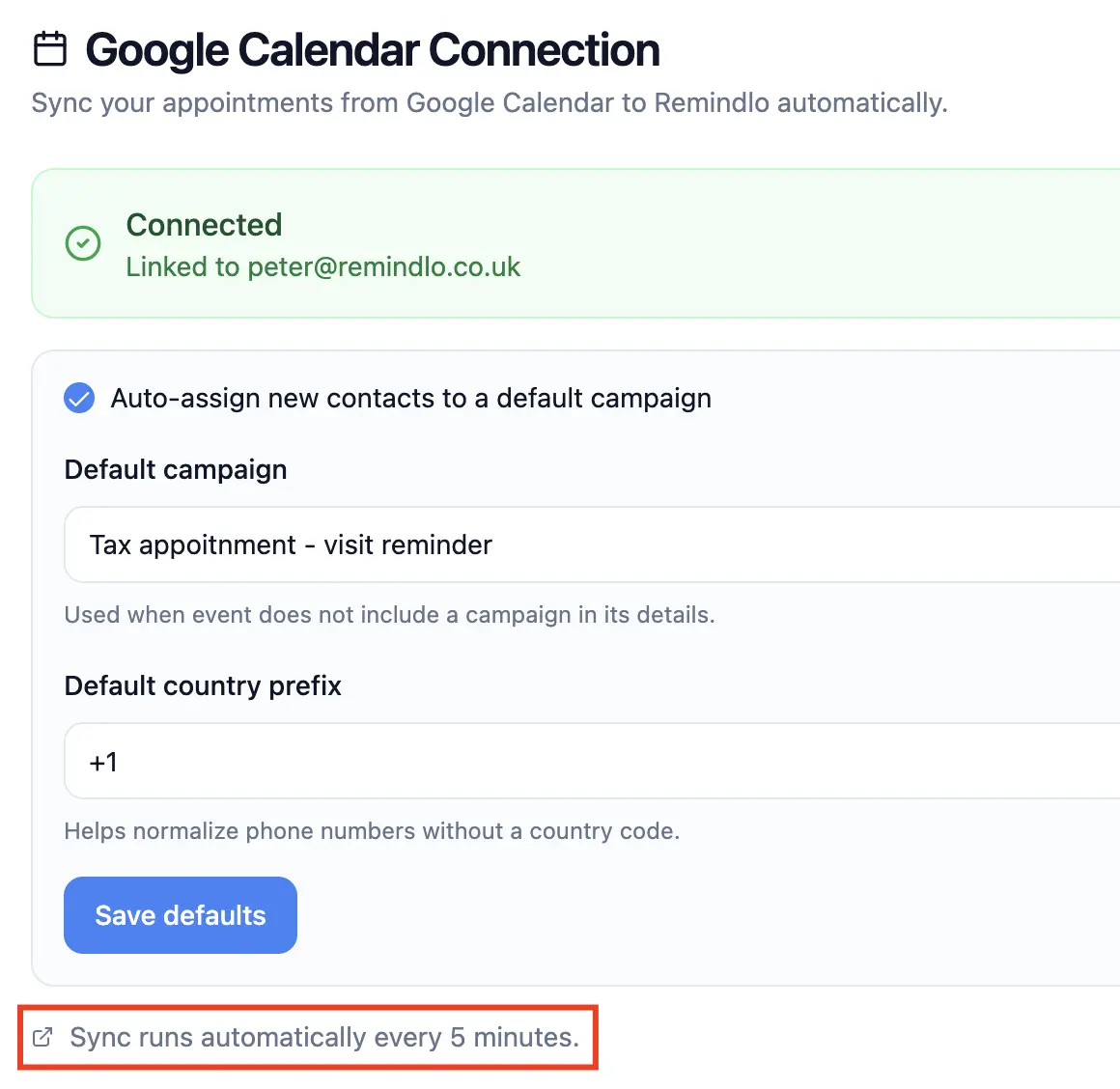
The setup works like this: connect your Google Calendar, create a message template with your payment instructions and document checklist, set the timing (24 hours before, 48 hours before, or both), and let it run. When you add an appointment to your calendar with a client's phone number, the system picks it up and schedules the reminder automatically.
For offices that use other scheduling tools like Calendly, Acuity Scheduling, or Cal.com, the same approach works because all of these tools sync to Google Calendar. You can also connect through Zapier if you prefer a direct integration with your existing booking or CRM system.
For a detailed walkthrough of the Google Calendar connection, see How to Automate Appointment Reminders with Google Calendar.
What about the off-season?
Tax preparation is seasonal, but your reminder system does not have to be. Between May and December, you can use the same tool for:
Quarterly estimated tax reminders. Clients who owe quarterly payments (self-employed individuals, freelancers, landlords) need reminders before the 15th of April, June, September, and January. These are easy to forget, and the IRS charges penalties for late payments. A simple text two weeks before each deadline keeps your clients compliant and positions your office as proactive.
Extension deadline reminders. If you filed extensions for clients in April, they need to file by October 15. A reminder in September ensures they don't miss the extended deadline and that you have time to complete the return.
Document gathering. Send a message in November or December asking clients to start collecting W-2s, 1099s, and receipts. This spreads the document gathering over weeks rather than having everything arrive in a rush in January.
Bookkeeping and payroll clients. If your office offers bookkeeping, payroll, or advisory services alongside tax preparation, reminders for recurring appointments, quarterly reviews, or payroll deadlines run through the same system.
Compliance: what you need to know
In the United States, the Telephone Consumer Protection Act (TCPA) governs text messaging to consumers. For appointment reminders, the rules are straightforward: you need prior consent to send a text message, and the recipient must be able to opt out. Since your clients are voluntarily booking appointments and providing their phone numbers, you already have an established business relationship. Each customer who doesn't have a consent marked up as given won't receive SMS reminders. That way, you'll be compliant with the regulations.
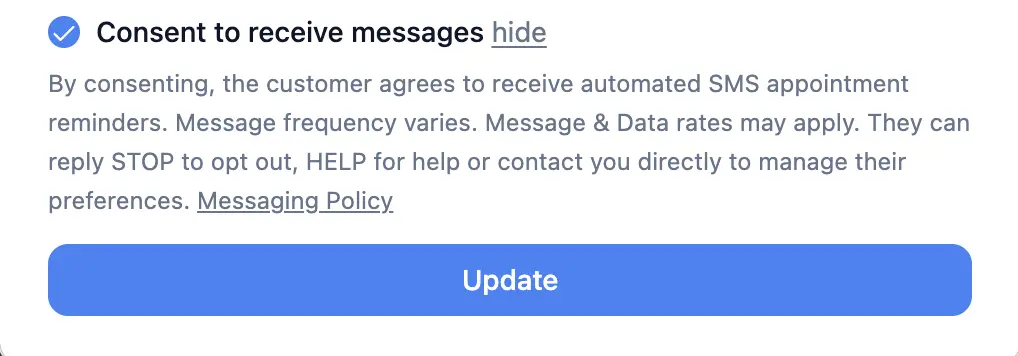
Including an opt-out instruction (reply STOP to unsubscribe) in your first message keeps you compliant. All of that can be set up in Remindlo's message templates. We also fully support reply keywords like STOP, CANCEL, or UNSUBSCRIBE.
For UK-based accounting practices, appointment reminders fall under legitimate interest provisions of UK GDPR, meaning separate marketing consent is not required for service-related communications. You should still include an opt-out option and respect any client who asks not to receive texts.
A good reminder platform handles opt-out management automatically, so you do not need to maintain a separate suppression list. For more detail on Remindlo's compliance approach, see the messaging policy.
How Remindlo works for tax preparation offices
Remindlo is built for exactly this type of use case: service businesses with recurring client relationships that depend on appointments. Here is how it works for a tax preparation office:
Appointment reminders. Connect your Google Calendar. Create a message template with your payment instructions, document checklist, and office address. Set reminder timing (e.g. 48 hours and 24 hours before). Every new appointment triggers an automatic SMS to the client.
Seasonal reactivation. Import your client list via CSV, add contacts manually, take a photo of your paper calendar or use either Google Calendar events or put customers in our SMS reminder system through Zapier. Create a campaign that sends a booking invitation in December or January. Clients who filed with you last year get a personal text inviting them back. No cold calling, no mailers, no ad spend.
Off-season reminders. Set up campaigns for quarterly estimated payments, extension deadlines, or document collection. Each campaign runs independently with its own timing and message.
The free plan includes 10 SMS per month, enough to test the workflow with a handful of real clients before committing. Paid plans start at £19/month (you can also pay in your local currency at checkout) and include 75 SMS, which covers a small practice through tax season. For offices with larger client bases, the Standard plan at £49/month includes 250 SMS.
For a complete overview of industry-specific features for accounting practices, visit the accounting industry page.
Getting started
The fastest path is:
Create a free account (no credit card required).
Connect your Google Calendar from the Integrations page.
Write one reminder template with your payment link and document checklist.
Set it to send 24 hours before each appointment.
Add an appointment to your calendar with a client's phone number and watch the reminder go out automatically.
The entire setup takes under five minutes. Once it is running, every appointment you add to your calendar generates an automatic reminder without any additional effort from you or your front desk.
FAQ
Do I need to change my booking system to use SMS reminders?
No. If you use Google Calendar, Calendly, Acuity, Cal, or any system that syncs with Google Calendar, you can add SMS reminders without changing how you book appointments. The reminder tool connects to your existing calendar and runs in the background. Set up once and forget type of software.
Can I include a payment link in the reminder message?
Yes. You can include any text in your reminder template, including payment links (Zelle, credit card portals, PayPal, or your own payment page). The link is tappable on the client's phone, making it easy to pay immediately after reading the reminder.
How many reminders should I send per appointment?
Two is the most effective pattern for tax appointments: one 48 hours before (so the client has time to gather documents and pay) and one on the morning of the appointment (as a final confirmation). You can configure any timing that suits your workflow.
Is this compliant with TCPA and GDPR?
Yes. Appointment reminders to clients who have provided their phone number and booked a service fall within established business relationship provisions. The platform handles opt-out management automatically. See the messaging policy for details.
What happens outside of tax season?
The same system works year-round for quarterly estimated tax payment reminders, extension deadline alerts, document gathering messages, and reactivation campaigns to bring clients back for the next filing season.
Can I send reminders in languages other than English?
Yes. You write your own message templates, so you can compose them in any language. This is useful for offices serving multilingual communities.
Related reading: compare the best SMS reminder systems for tax preparation offices, or see how to automate tax deadline reminders for your clients.