Google Calendar Appointment Reminders via SMS: The Missing Feature (and How to Fix It)
Google Calendar is excellent at reminding you about your own appointments. It sends push notifications to your phone, pop-ups on your desktop, and emails to your inbox. For keeping track of your own schedule, it works perfectly.
Contents
- What Google Calendar actually does with reminders
- Google used to have SMS reminders. Then they removed them.
- Why SMS matters more than email for appointment reminders
- The cost of not sending SMS reminders
- How to add SMS appointment reminders to Google Calendar
- How this compares to other approaches
- Industry-specific use cases
- Frequently asked questions
- Start sending SMS appointment reminders today
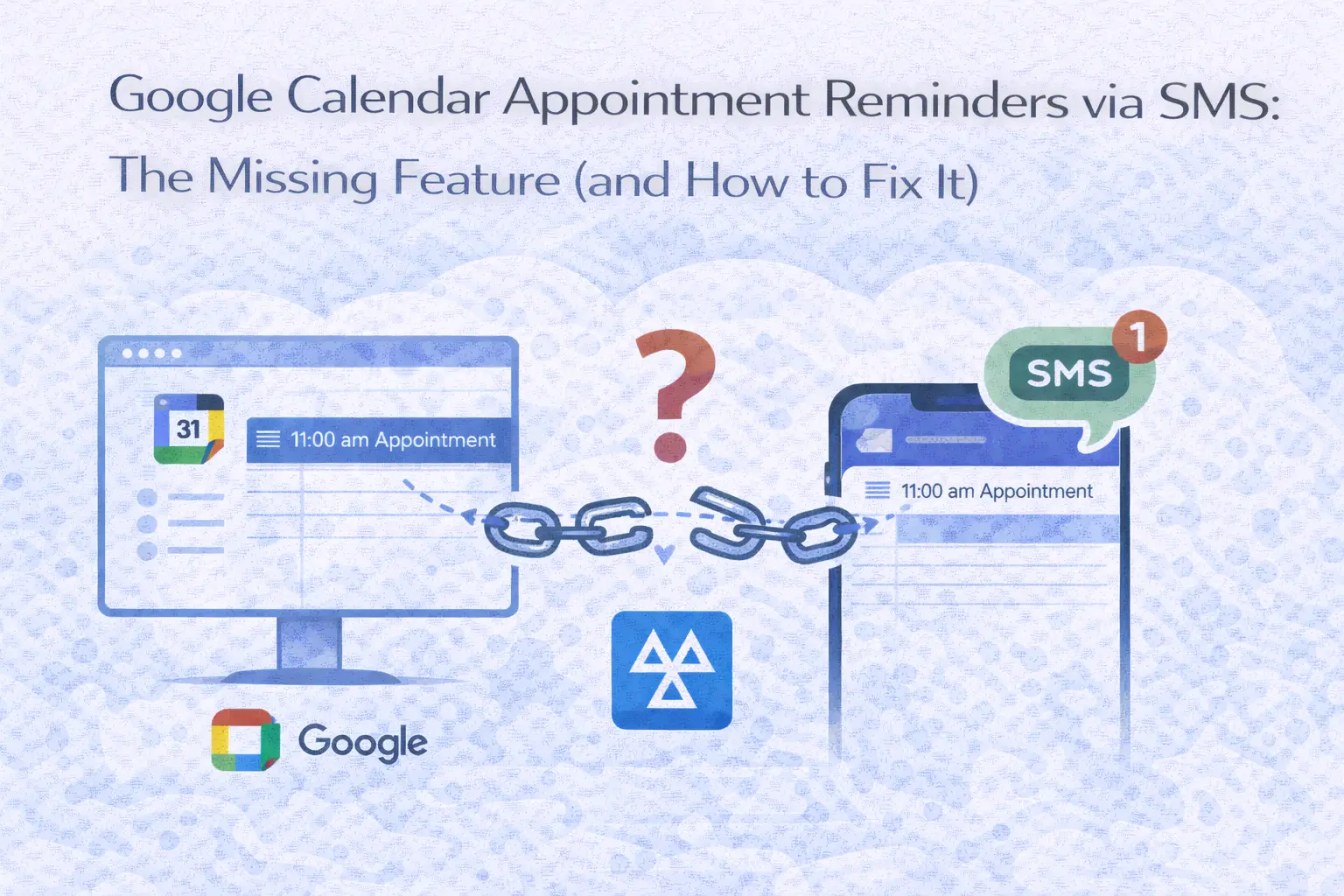
But here's the gap that catches most service businesses off guard: Google Calendar cannot send an SMS reminder to your clients. Not natively, not through Google Workspace, and not through any built-in setting you might have missed.
If you're a garage owner, a vet, an accountant, a heating engineer, a therapist, or anyone else who books client appointments into Google Calendar, this is probably the single most useful feature you wish existed. Your client books a slot, you add it to your calendar, and then nothing happens on their end until the day of the appointment, when they've either forgotten, double-booked, or simply can't make it.
This article explains exactly why Google Calendar doesn't offer SMS appointment reminders, what it does offer instead, and how to add the missing SMS capability in under five minutes using a third-party integration.
What Google Calendar actually does with reminders
To understand what's missing, it helps to know what Google Calendar's reminder system actually covers.
Google Calendar offers three types of notifications for events: email notifications sent to attendees' Gmail addresses, push notifications sent to your own phone via the Google Calendar app, and desktop pop-up alerts in your browser. All three are designed to remind the people involved in an event that it's coming up. They work well for internal meetings, team stand-ups, and personal appointments.
For client-facing businesses, though, there's a fundamental problem with each of these options.
Email notifications require your client to have been added as a guest to the event, and then they need to actually open the email. With average email open rates sitting around 20-30%, a significant number of your clients will never see the reminder. The email might land in their promotions tab, their spam folder, or simply get buried in an inbox full of other messages.
Push notifications only work if your client has Google Calendar installed on their phone and has accepted the event invitation. Most clients don't use Google Calendar, and even those who do often ignore calendar notifications because they receive dozens of them daily.
Desktop alerts are only useful to the calendar owner. Your clients don't see them at all.
The one type of notification that would solve this problem, an SMS text message sent directly to your client's phone, is the one Google Calendar doesn't offer.
If your notifications aren't working at all, see our Google Calendar notifications troubleshooting guide.
Google used to have SMS reminders. Then they removed them.
This makes the situation even more frustrating. Google Calendar did support SMS notifications at one point. Users could add their phone number in Calendar settings, verify it, and receive text messages ahead of events.
In January 2019, Google removed this feature entirely. The official explanation cited infrastructure changes. All existing SMS notification settings were converted to email or push notifications.
But even when SMS notifications existed, they only worked for reminding the calendar owner, not for texting clients or event attendees. The feature was never designed to send outbound messages to other people's phone numbers. So even if Google brought it back tomorrow, it still wouldn't solve the problem service businesses face.
The core limitation isn't a bug or a missing setting. It's a design decision. Google Calendar is a scheduling tool, not a client communication platform. It tracks when things happen. It doesn't manage the relationship between you and the people who are supposed to show up.
Why SMS matters more than email for appointment reminders
The difference in effectiveness between email and SMS reminders is not marginal. It's substantial.
SMS messages have a 98% open rate. Ninety percent are read within three minutes of delivery. By comparison, email open rates for business communications average 20-30%, and response times are measured in hours, not minutes.
For appointment reminders specifically, the largest pooled analysis found attendance of 78.6% with a text reminder against 67.8% without, across eight randomised trials and 6,615 people. A more recent synthesis found a smaller effect for text messages that did not reach statistical significance, which is worth knowing before anyone promises you a number (our sources).
The reason is straightforward. A text message arrives on a device your client carries everywhere. It doesn't get buried in a folder. It doesn't require an app to be installed. It doesn't need an internet connection to be received. It works on every mobile phone made in the last twenty years, from the latest smartphone to a basic handset.
For service businesses where a missed appointment means lost revenue, wasted time, and a gap in the schedule that could have gone to someone else, the difference between a 20% open rate and a 98% open rate is not theoretical. It's the difference between a full diary and a diary with holes in it.
The cost of not sending SMS reminders
Before looking at the solution, consider what no-shows actually cost.
A single missed appointment costs the average service business between £50 and £150 in lost revenue, depending on the industry. For an MOT testing station, a no-show is a £40-55 test fee plus the service and repair work that often follows. For a vet practice, a missed consultation is £40-60 plus any treatments. For a heating engineer, a cancelled boiler service is £80-120 in lost income plus the travel time already spent.
At two no-shows per week, that adds up to £5,000-15,000 per year in lost revenue. And that's a conservative estimate. Many businesses experience higher no-show rates, particularly those that rely on clients to remember appointments booked weeks or months in advance.
SMS reminders don't eliminate no-shows entirely, but reducing them by even a third means recovering thousands of pounds per year. The cost of sending those reminders is typically £20-50 per month, making the return on investment difficult to argue with.
How to add SMS appointment reminders to Google Calendar
The solution is to connect Google Calendar to a third-party tool that handles SMS delivery. Several options exist, but the approach is broadly the same: you keep using Google Calendar exactly as you do now, and the integration monitors your calendar for new events and sends text reminders to your clients at the times you choose.
Here's how the setup works using Remindlo, which is built specifically for service businesses with recurring client appointments.
Step 1: Create a free account
Go to remindlo.co.uk/register and sign up. The free plan includes 10 SMS per month and unlimited email reminders, so you can test the full workflow with real clients before deciding whether to upgrade. No credit card required.
Step 2: Connect your Google Calendar
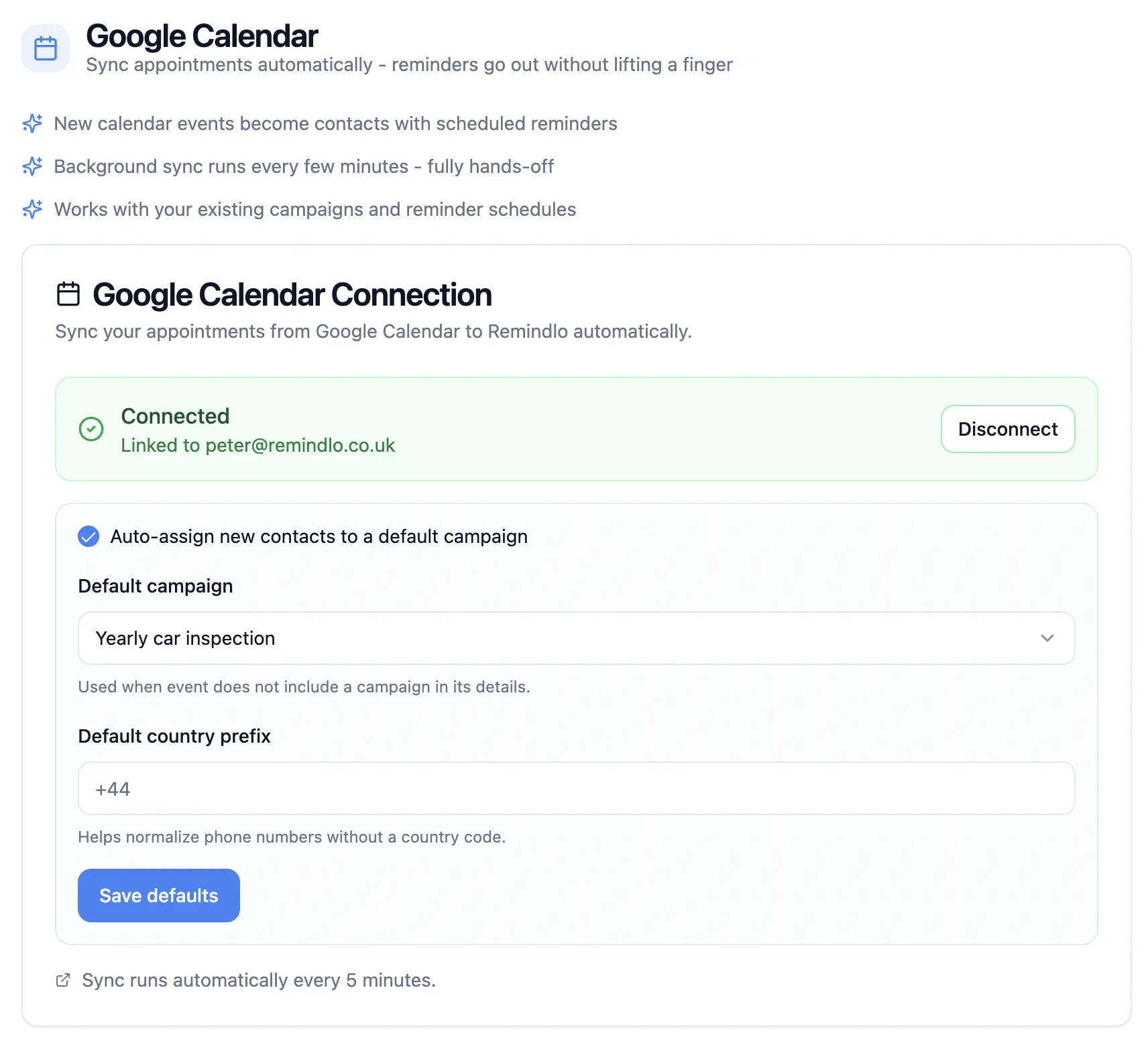
In the Remindlo dashboard, go to Integrations and click Connect Google Calendar. You'll go through Google's standard OAuth flow to authorise access. Select which calendars Remindlo should monitor. If you use one calendar for all client bookings, select that one. If you have separate calendars for different services or team members, you can connect multiple calendars.
Remindlo offers two connection methods. Auto-sync runs in the background and picks up new events automatically. The sidebar add-on installs directly into Google Calendar and gives you per-event control. For most businesses, auto-sync is the better starting point because it requires no ongoing manual steps. For a full comparison of both methods, see our step-by-step Google Calendar SMS setup guide.
Step 3: Create a reminder campaign
A campaign defines what message your clients receive and when. Go to Campaigns and create a new one. Configure the timing (for example, 24 hours before the appointment and again 2 hours before), write your message template using dynamic fields like {first_name}, {date}, and {time}, and choose your channel (SMS, email, or both).
A good appointment reminder looks something like this:
Hi {first_name}, just a reminder about your appointment on {date} at {time}. If you need to reschedule, call us on [your phone number]. - {business_name}
Step 4: Add appointments as normal
This is the key part. Once the integration is running, your workflow doesn't change. Add appointments to Google Calendar the way you always have. Include the client's phone number somewhere in the event, whether that's in the description, the title, the notes field or the location. Remindlo detects the phone number, matches the event to your campaign, and schedules the SMS reminders automatically.
If an event doesn't have a phone number, no reminder is created for it. Add the missing number to the event in Google Calendar and Remindlo picks it up on the next sync, usually within a few minutes.
If a client reschedules or cancels, update the event in Google Calendar. Remindlo picks up the change and adjusts or removes the reminder accordingly.
Step 5: Monitor and adjust
The Remindlo dashboard shows you which reminders have been sent, which are scheduled, and which clients are enrolled in campaigns. Over time, you can refine your approach: adjust the timing, tweak the message wording, or add additional reminder touchpoints based on what works for your clients.
How this compares to other approaches
Google Calendar's missing SMS feature has created a market of tools and workarounds. Here's how the main options compare.
Zapier + Twilio. You can create a Zapier automation that triggers when a new Google Calendar event is created, extracts the phone number, and sends an SMS via Twilio. This works but requires accounts on three platforms (Google, Zapier, Twilio), API key configuration, and manual maintenance. Zapier's free tier is limited, and Twilio charges per message on top. Total cost is often higher than a dedicated tool, and setup takes significantly longer. Best suited for technically confident users who enjoy building automations.
If you would rather not build and maintain that yourself, the same job as a finished product: Remindlo vs Twilio.
GReminders. A full-featured appointment management platform with SMS reminders, voice calls, online scheduling, and CRM integration. Pricing starts at $15.99/month per user. If you need features beyond reminders, like two-way booking or Salesforce integration, GReminders is worth evaluating. If you primarily need your calendar events to trigger text reminders, it's more platform than most small businesses need.
Apptoto. Similar to GReminders in scope, with pricing starting at $29/month. Apptoto supports SMS, voice, and email reminders and integrates with Google Calendar, Outlook, and various practice management systems. Strong in healthcare settings.
If you are weighing the two, we cover the differences here: Remindlo vs Apptoto.
Remind1. A simpler option focused on SMS reminders from Google Calendar. Works as a sidebar add-on where you tag phone numbers in event titles. Over 120,000 calendar installs. Less automated than auto-sync approaches because it requires the phone number to be in a specific format in the event title.
Remindlo. Purpose-built for service businesses with recurring clients. Offers both auto-sync and sidebar methods. Free plan with 10 SMS/month, paid plans from £19/month. Strongest fit for businesses that need recurring reminders (annual MOT tests, regular vet checkups, boiler servicing) alongside standard appointment reminders.
For a detailed side-by-side comparison with pricing, features, and limitations, see our guide to the 7 best Google Calendar SMS reminder tools.
Industry-specific use cases
The missing SMS feature affects every business that books client appointments, but the impact varies by industry. Here are some of the most common use cases.
MOT testing stations and car garages. MOT tests are a legal requirement every twelve months. The garage that reminds the customer first gets the booking. Google Calendar tracks the appointment, but can't send the customer a text when their next test is due. Adding SMS reminders to your calendar workflow means customers come back to you automatically instead of going wherever happens to be convenient when they remember their MOT is expiring. See our dedicated guide to setting up MOT reminders with Google Calendar.
Veterinary practices. Annual vaccinations, booster shots, dental checkups, and flea treatment renewals all follow predictable cycles. A vet practice that reminds pet owners about upcoming vaccinations via text sees significantly better return rates than one relying on clients to remember. For strategies on reducing missed appointments in vet clinics, see our vet practice no-show reduction guide.
Heating engineers and HVAC. Annual boiler services and Gas Safety Certificates (legally required for landlords) are classic recurring appointments. An engineer who texts customers when their service is due builds a reliable recurring revenue stream. Read more about automating boiler service reminders and HVAC retention strategies.
Accountants and tax professionals. Tax deadlines, annual returns, VAT filing dates, and self-assessment submissions all follow fixed schedules. A text reminder ahead of a tax deadline positions the accountant as proactive and organised, and often prompts the client to book a preparation meeting.
Therapists and counsellors. Regular session schedules are vulnerable to no-shows, particularly when clients book weekly or fortnightly slots months in advance. A text reminder the day before significantly reduces forgotten appointments.
Beauty salons and barbers. Regular clients who book every 4-8 weeks benefit from a reminder, especially when the booking was made at the end of the previous visit and is now weeks away.
Mobile service using Google Calendar. If you run a service business from your phone, Google Calendar is probably the centre of your operation. A plumber booking a boiler repair, an electrician scheduling a rewire, a cleaner confirming next week's appointments - the calendar is where it all lives. See our complete Guide for sending SMS Reminders in the service business.
Frequently asked questions
Does Google Calendar send SMS reminders? No. Google Calendar removed its native SMS notification feature in January 2019. Even when it existed, it only sent text reminders to the calendar owner, not to event attendees or clients. To send SMS reminders to your clients from Google Calendar, you need a third-party integration.
Do I need Google Workspace (paid) for this to work? No. The Remindlo integration works with both free Google accounts and paid Google Workspace accounts. The calendar sync is identical on both.
Will my clients need to install anything? No. SMS reminders are standard text messages delivered to any mobile phone. Your clients don't need an app, a smartphone, or an internet connection to receive them.
Can I send reminders to clients in different countries? Yes. Remindlo supports SMS delivery to the UK, US, and most European countries. Include the international dialling code with the phone number (e.g., +44 for UK, +1 for US). You can also set a default country code so it's applied automatically when you forget to include one.
Is this GDPR compliant? Appointment reminders are considered a legitimate interest under UK GDPR because they relate directly to a service the customer has requested. You should include an opt-out option in your messages. For details, see our UK GDPR and SMS compliance guide.
How much does it cost? Remindlo's free plan includes 10 SMS per month. The Starter plan is £19/month for 75 SMS, and the Standard plan is £49/month for 250 SMS. All plans include unlimited email reminders. For full pricing details, visit the Remindlo pricing page.
What happens if I reschedule an appointment in Google Calendar? Remindlo detects the change during its background sync and updates the reminder to match the new time. If you delete the event, the reminder is cancelled automatically.
Can I use this for recurring appointments? Yes. If you create a recurring event in Google Calendar, Remindlo creates reminders for each occurrence. This is especially useful for businesses with regular service intervals: annual MOT tests, six-monthly dental checkups, quarterly boiler servicing, and so on.
Start sending SMS appointment reminders today
Google Calendar is a great scheduling tool, but it was never designed to communicate with your clients. The SMS feature it once had was limited, and it's been gone since 2019. If you rely on Google Calendar for bookings, adding an SMS layer takes five minutes and immediately closes the gap between a booked appointment and a client who actually shows up.
Connect your Google Calendar to Remindlo for free — 10 SMS per month, no credit card required.
For the full technical walkthrough on connecting your calendar, see our step-by-step SMS setup guide. To compare all available tools, read our comparison of the 7 best Google Calendar SMS reminder tools.