Send SMS Reminders from Google Calendar: Complete Guide for Service Businesses
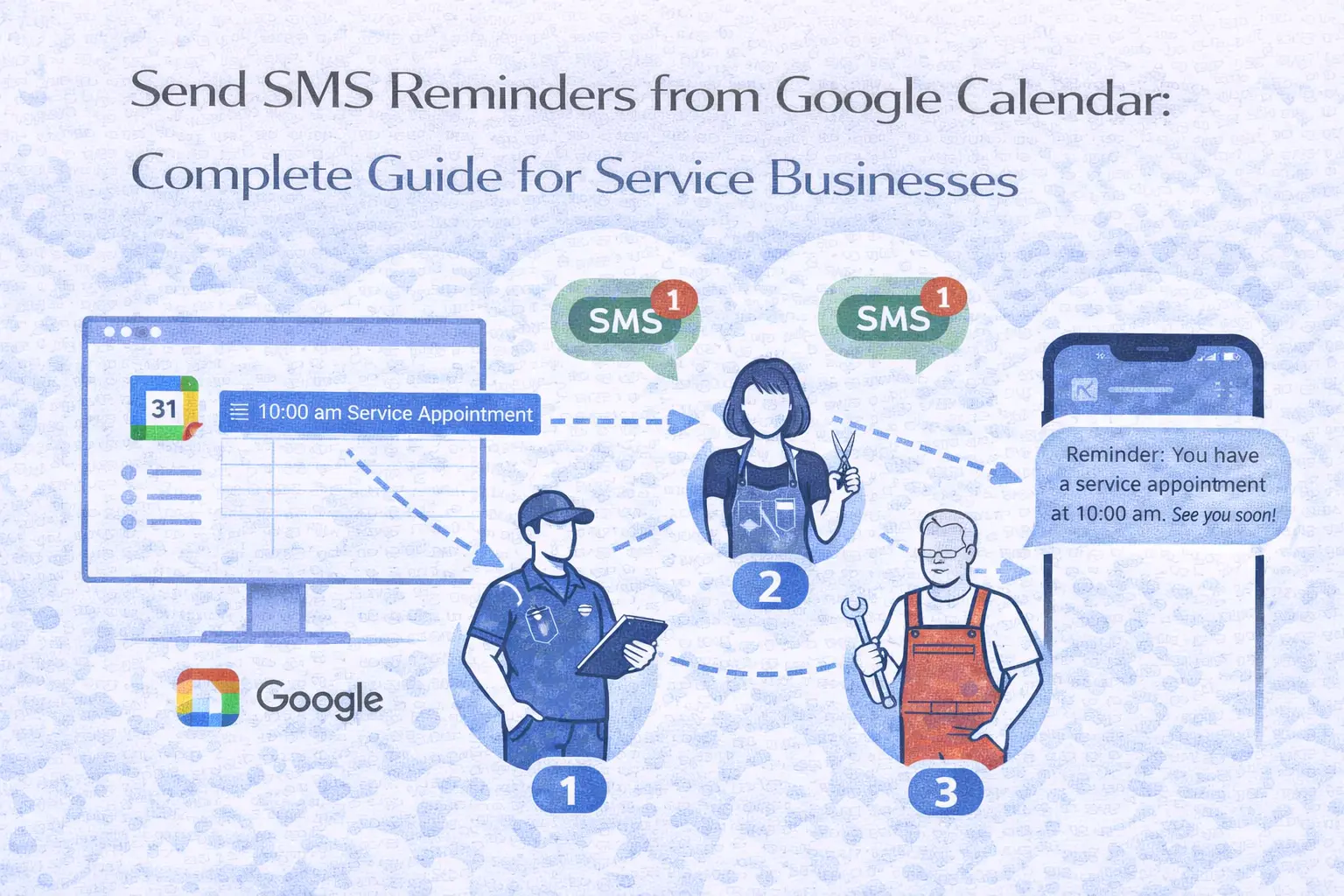
If you run a service business from your phone, Google Calendar is probably the centre of your operation. A plumber booking a boiler repair, an electrician scheduling a rewire, a cleaner confirming next week's appointments - the calendar is where it all lives.
Contents
- The mobile service business problem
- Why Google Calendar can't send SMS to your clients
- How it works: Google Calendar + SMS integration
- What this looks like in practice
- SMS templates for service businesses
- The business case: what SMS reminders save you
- Beyond reminders: recurring service notifications
- How does this compare to other options?
- Frequently asked questions
- Start sending SMS from your Google Calendar
The frustrating part is what happens after you add the appointment. You know the client should get a text reminder. You know that reminder would cut your no-show rate, save you wasted trips, and make your business look more professional. But Google Calendar can't send that text.
This guide is written specifically for tradespeople and service businesses - the kind of businesses where your calendar is on your phone, your office is your van, and your admin time is whatever you can fit in between jobs. It explains how to connect your Google Calendar to an SMS system so that every appointment you add automatically sends a text reminder to your client, without you needing to do anything differently.
The mobile service business problem
Service businesses that operate in the field share a common challenge: you're the technician, the scheduler, the bookkeeper, and the customer service team, often all at once. There's no receptionist sending reminders, no front desk checking people in, and no waiting room where clients show up 15 minutes early.
When a client misses an appointment, the impact is worse than it is for a fixed-location business. You've driven to the property - that's fuel, time, and wear on the van. You're standing on a doorstep instead of earning. And the gap in your schedule is almost impossible to fill at short notice because your next job is across town.
The UK has over 46,000 plumbing and heating businesses, 50,000 electrical businesses, and 480,000 cleaning businesses. The vast majority are small operations: sole traders or teams of two or three. Eighty percent of plumbing businesses are SMEs. These businesses don't need enterprise software. They need something that works with the tools they already use.
For most of them, that tool is Google Calendar.
Why Google Calendar can't send SMS to your clients
Google Calendar was designed as a personal and team scheduling tool. It handles three types of notifications: push notifications to your own phone, email reminders to event attendees, and desktop pop-up alerts. All three remind the calendar owner. None of them sends a text message to a client's phone number. They also tend to fail. If you struggle with that, you can check our troubleshooting guide.
Google briefly offered SMS notifications to calendar owners years ago, but removed the feature entirely in January 2019. Even when it existed, it never supported sending texts to other people - only to the person who owned the calendar.
This means there's no setting you've missed, no hidden feature in Google Workspace, and no workaround using Google's native tools. To send SMS reminders to your clients from Google Calendar, you need a third-party integration.
The good news is that the best integrations don't change your workflow at all. You keep adding appointments to Google Calendar exactly as you do now. The integration runs in the background, detects new events, finds the client's phone number, and sends the reminder at the time you've chosen.
How it works: Google Calendar + SMS integration
The setup follows a simple pattern. You connect your Google Calendar to an SMS platform. You configure when and what to send. Then you carry on using your calendar as normal, and reminders happen automatically.
Here's the step-by-step process using Remindlo, which is designed for exactly this type of service business.
Step 1: Create an account
Go to remindlo.co.uk/register and sign up. Select your industry during setup. The free plan includes 10 SMS per month and unlimited email reminders - enough to test with real clients before committing. No credit card needed.
Step 2: Connect Google Calendar
In the dashboard, go to Integrations and click Connect Google Calendar. Authorise access through Google's standard and secure OAuth flow. Select which calendars to monitor - if you use one calendar for all jobs, select that. If you have separate calendars for different types of work or different team members, connect them all.
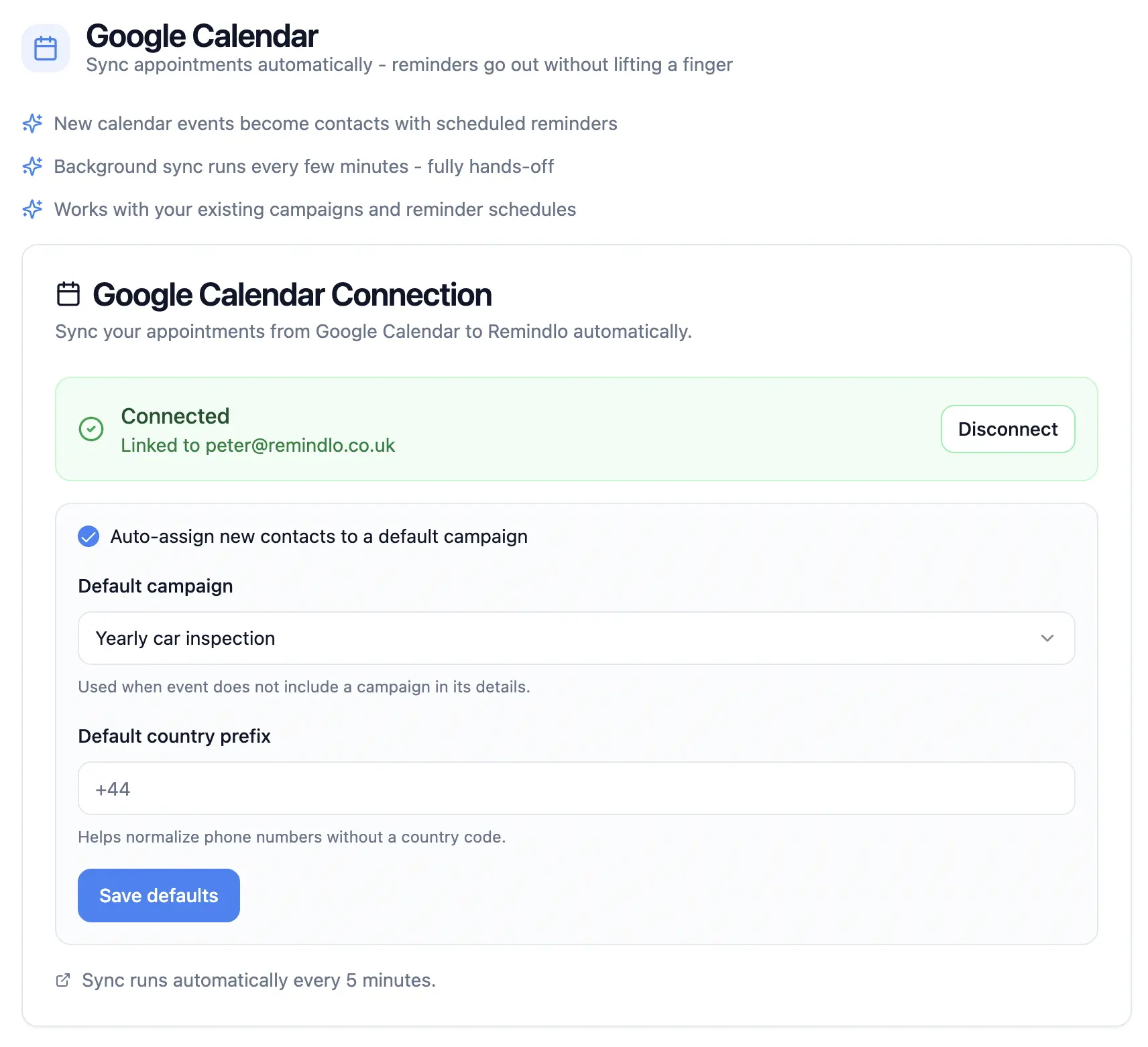
Remindlo offers two connection methods. Auto-sync monitors your calendar in the background and processes events automatically - this is the recommended method for service businesses because it requires zero ongoing effort. The sidebar add-on installs into Google Calendar for per-event control, useful for handling edge cases. Most tradespeople use auto-sync and forget about it.
For a detailed walkthrough of both methods, see our step-by-step Google Calendar SMS setup guide.
Step 3: Set up a reminder campaign
A campaign defines the message and timing. Create a new campaign in the dashboard and configure three things.
Timing. For service businesses visiting client homes, the most effective setup is two reminders: one the day before the appointment (gives the client time to rearrange if needed, and gives you time to fill the slot) and one two hours before (a final confirmation, especially useful for time-window bookings like "between 9am and 12pm").
Message. Write your SMS using dynamic fields that auto-fill from the calendar event. A good service business reminder looks like this:
"Hi {first_name}, confirming your appointment with {business_name} tomorrow at {time}. If you need to rearrange, call [your number]. Thanks!"
Keep it under 160 characters for a single SMS segment. Include your business name (so the client knows who it's from) and a phone number (so they can rearrange rather than just not showing up).
Channel. SMS is the primary channel for service businesses. Your clients may not check email regularly, but they read texts. With a 98% open rate and most messages read within three minutes, SMS is the most reliable way to reach someone before a home visit.
Step 4: Add the phone number to your calendar events
This is the one habit you need to build. When adding an appointment to Google Calendar, include the client's phone number somewhere in the event - the description field is the most natural place, but the title or notes field works too.
If you already include the client's phone number in your calendar events (many tradespeople do, so they can call if they're running late), you don't need to change anything. Remindlo detects the number automatically.
If an event doesn't have a phone number, you can add one later or skip it. Nothing breaks: events without phone numbers simply don't trigger SMS reminders.
Step 5: Carry on as normal
That's the entire setup. From now on, every appointment you add to Google Calendar with a phone number will automatically send an SMS reminder to the client at the times you've configured. If you change the appointment time in your calendar, the reminder updates. If you delete the event, the reminder cancels.
You don't need to open a separate app. You don't need to remember to send reminders. You don't need to copy phone numbers into another system. Your calendar is still your calendar - it just does one more thing now.
What this looks like in practice
Here's a typical day for a plumber using Google Calendar with SMS reminders.
Sunday evening. You check your calendar for the week ahead. Five jobs booked Monday to Friday. Each one has the client's name, address, and phone number in the event description. You don't do anything - the reminders are already scheduled.
Monday 8am. Your first client receives a text: "Hi Sarah, confirming your appointment with [Your Business Name] today between 9-11am. If you need to rearrange, call 07700 900123." Sarah reads it, checks she'll be home, and carries on with her morning.
Monday 8:30am. You get a call from Wednesday's client, who got their 24-hour reminder yesterday. They need to reschedule for Thursday. You move the event in Google Calendar. The Wednesday reminder cancels. The Thursday reminder is created automatically.
Monday 9:15am. You arrive at Sarah's. She's home, expecting you, and has already cleared the area around the boiler. The job goes smoothly.
Monday 5pm. You add a new booking for next Tuesday directly from your phone. You include the client's number in the description. A reminder is automatically scheduled for Monday morning.
That's it. No admin. No separate reminder system to manage. No clients who forgot you were coming.
SMS templates for service businesses
The right message depends on your trade, but the principles are the same: be clear, be brief, include your business name, and give the client a way to contact you.
Standard day-before reminder: "Hi {first_name}, reminder: {business_name} appointment tomorrow at {time}. Please ensure access to the property. Call [phone] to rearrange."
Morning-of reminder (for time-window bookings): "{business_name} will be with you today between {time}. We'll call 30 mins before arrival. Any issues, call [phone]."
First-time client: "Hi {first_name}, this is {business_name} confirming your appointment on {date} at {time}. Our engineer [name] will arrive in a [van colour/type]. Call [phone] with any questions."
Recurring service reminder (for annual work): "Hi {first_name}, your annual [boiler service/electrical check/deep clean] is due next month. Call [phone] or reply BOOK to schedule. - {business_name}"
For more industry-specific templates, try the free Remindlo SMS Generator.
The business case: what SMS reminders save you
No-shows cost service businesses more than most trades realise, because the cost isn't just the lost fee - it's the wasted journey.
A plumber charging £80-120 for a boiler service who drives 20 minutes to a no-show loses the fee, plus 40 minutes of driving, plus fuel (£5-15 at current diesel prices), plus the job they could have scheduled instead. Two no-shows a week - which is typical for businesses without reminders - adds up to £8,000-15,000 per year in lost revenue and wasted time.
In eight randomised trials, 78.6% of people attended after a text reminder against 67.8% with none (our sources). For a business losing two appointments a week, recovering even one of them is £4,000-7,500 a year at a typical job value.
Calculate your potential profit
See how much you can earn by recovering lost customers
Your data
What that could be worth
5-year projection
Assumes every recovered customer then returns each year
No credit card required • Full access • 10 SMS per month
Both percentages here are assumptions you set, not measurements. What we have actually measured, and the published research on reminders: our sources.
The cost of sending those reminders is £19-49 per month, depending on volume. The maths is simple: even one prevented no-show per month pays for the tool several times over. Sending automated SMS reminders straight from your Google Calendar sounds like a no-brainer for a small service business.
Beyond reminders: recurring service notifications
For many service businesses, the real value isn't just appointment reminders - it's recurring service notifications. These are messages sent when a service is due, not when an appointment is booked.
A boiler engineer who serviced a customer's boiler last September can schedule a reminder for the following August: "Your annual boiler service is due next month." A window cleaner on a six-week cycle can remind clients when they're next on the round. An electrician who installed a consumer unit can notify the homeowner when their EICR (Electrical Installation Condition Report) is due in five years.
This type of proactive communication turns one-off jobs into recurring revenue. The client doesn't need to remember when their service is due - you tell them, and they book. You become the default choice not because you're the cheapest, but because you're the one who showed up in their text messages at exactly the right time.
Remindlo handles both types of reminders: appointment reminders triggered by Google Calendar events, and recurring reminders based on service due dates stored in your customer database. Both run automatically once set up.
How does this compare to other options?
You might have considered other ways to remind clients. Here's how common alternatives compare for a typical service business.
Calling each client manually. This works, but it doesn't scale. If you have five appointments tomorrow, that's five phone calls you need to make the evening before - calls that might go to voicemail, require callbacks, or eat into your personal time. Most tradespeople do this for the first few years, then stop as the business grows.
WhatsApp messages. Popular among tradespeople because it's free, and clients are familiar with it. The problem is that it's entirely manual. You have to open each conversation, type or paste the message, and send it individually. There's no automation, no scheduling, and if you forget one client, they get no reminder. It also blurs the line between personal and business communication.
Full job management software (Jobber, ServiceM8, Tradify). These platforms offer reminders as part of a comprehensive suite including quoting, invoicing, scheduling, and CRM. They're powerful but expensive (typically £25-50+ per month per user) and require migrating your entire workflow off Google Calendar. For a sole trader who's happy with their calendar, this is more disruption than it's worth. If you're a growing team looking for an all-in-one platform, they're worth evaluating.
Zapier + Twilio. You can build a custom automation that connects Google Calendar to Twilio for SMS delivery. This requires accounts on three platforms, API key setup, and ongoing maintenance. Costs can be higher than a dedicated tool once you add Zapier's subscription and Twilio's per-message fees. Suitable for technically minded business owners, but overkill for most trades.
If you would rather not build and maintain that yourself, the same job as a finished product: Remindlo vs Twilio.
Remindlo. Designed for service businesses that want to keep using Google Calendar and add SMS reminders on top. Free plan with 10 SMS/month, paid plans from £19/month. Supports both appointment reminders (triggered by calendar events) and recurring service reminders (based on due dates). No need to change your existing workflow.
For a detailed side-by-side comparison of all Google Calendar SMS tools, see our guide to the 7 best Google Calendar SMS reminder tools.
Frequently asked questions
Does this work on my phone? Yes. You manage your Google Calendar from your phone as normal. The SMS integration runs in the background via the cloud - it doesn't depend on your phone being on or connected. Add an appointment on your phone, and the reminder is scheduled automatically.
Do I need Google Workspace or does a free Gmail account work? Both work. The integration is identical for free Google accounts and paid Workspace accounts.
What if I have a team and we share a calendar? You can connect shared calendars. If multiple team members add appointments to the same calendar, all events with phone numbers will trigger reminders. This works well for small teams where everyone uses a shared "Jobs" calendar.
Can I send reminders to clients in different countries? Yes. Remindlo supports SMS delivery to the UK, US, and most European countries. Include the international dialling code with the phone number (+44 for UK, +1 for US). You can set a default country code so it's added automatically when you forget.
Is this GDPR compliant? Appointment reminders are considered a legitimate interest under UK GDPR because they relate to a service the customer has requested. Include an opt-out option in your messages and respect any client who asks not to receive texts. For details, see our UK GDPR and SMS compliance guide.
How much does it cost? Remindlo's free plan includes 10 SMS per month. The Starter plan is £19/month for 75 SMS, and the Standard plan is £49/month for 250 SMS. All plans include unlimited email reminders. For a sole trader doing 4-5 jobs per day, the Standard plan covers two reminders per appointment for the full month. Visit the Remindlo pricing page for full details.
What happens if I forget to add the phone number to a calendar event? Nothing breaks. Remindlo just skips events without a detectable phone number. Add the number to the event whenever you like and it syncs on the next poll.
Can I use this for both appointment reminders and recurring service reminders? Yes. Appointment reminders are triggered by calendar events and remind clients about an upcoming visit. Recurring service reminders are based on due dates (like an annual boiler service or a six-monthly deep clean) and remind clients that a service is coming due, prompting them to book. Remindlo supports both.
Start sending SMS from your Google Calendar
The setup takes five minutes. You don't need to change how you use your calendar. You don't need to learn new software. You just connect, configure, and carry on - and your clients start getting text reminders automatically.
Connect your Google Calendar to Remindlo for free - 10 SMS per month, no credit card required.
Already use Google Calendar for a specific trade? See our dedicated guides for MOT stations and garages, or read about why Google Calendar's missing SMS feature matters for every service business.
Still not convinced? Check our guide on what it means to lose a slot when you run a service business.
Prefer to work from a spreadsheet? See how to build a Google Sheets SMS reminder system for a small business.