Google Sheets SMS Reminder System for Small Business
 by Peter Bednarek, Founder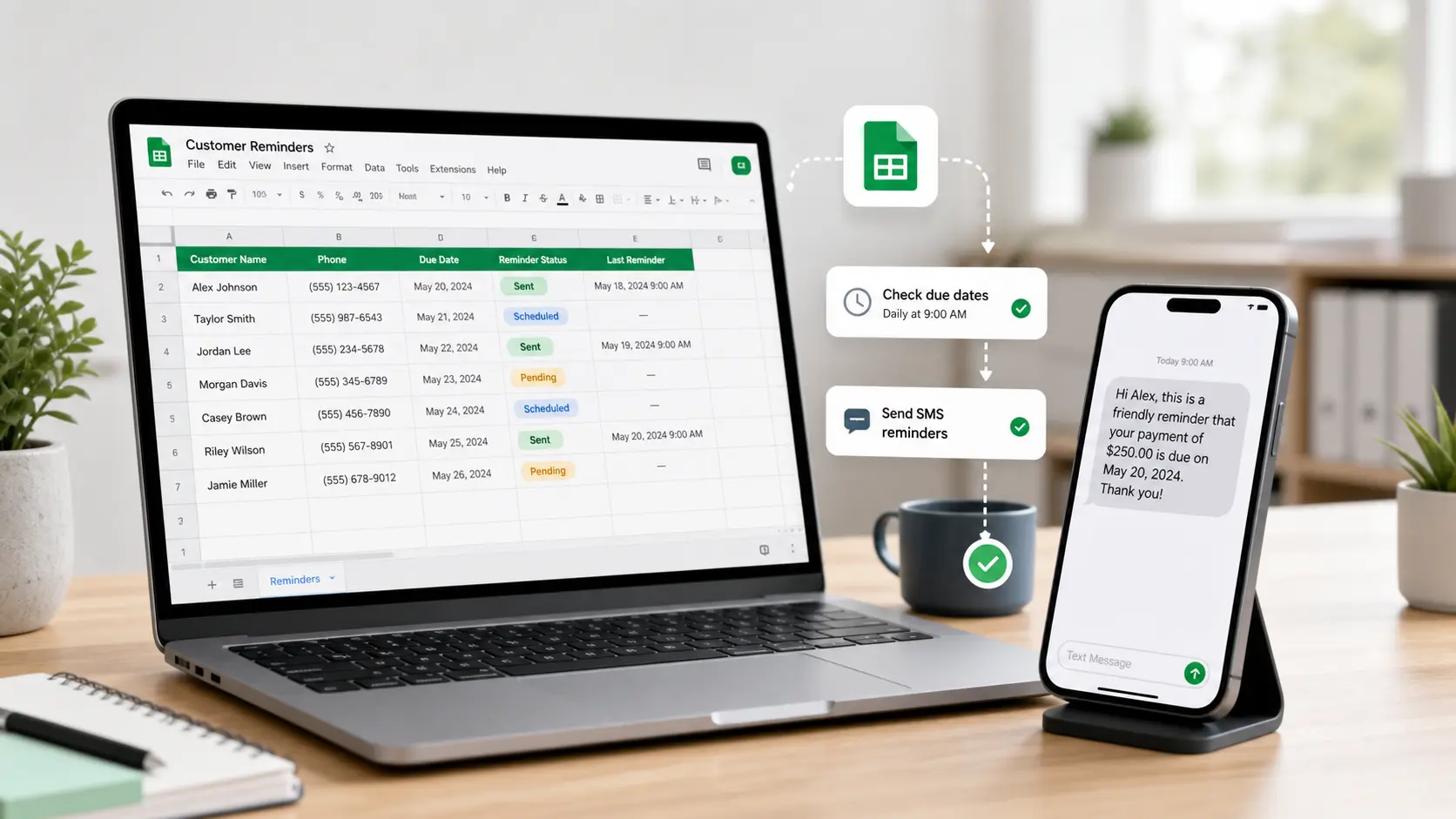
A small business does not always need a full CRM to send useful customer reminders. If your customer list already lives in Google Sheets, you can turn that spreadsheet into a simple SMS reminder system for appointments, annual services, renewals, and customer reactivation.
Contents
- What a Google Sheets SMS reminder system actually is
- When a spreadsheet beats a CRM
- The information your spreadsheet needs
- The four workflows it handles well
- Google Sheets or Google Calendar?
- How this looks across different businesses
- Setting it up without duplicating work
- Five things to fix before you switch automation on
- What it costs
- When to outgrow the spreadsheet
- A practical starting point
- Frequently asked questions
Most small businesses do not start with software. They start with a list.
A garage has a spreadsheet of MOT customers and service dates. A heating engineer has landlords, boiler service dates, and Gas Safety Certificate renewals. A vet practice has pets due for boosters and annual checkups. A salon has regular clients who should come back every six or eight weeks. A tax preparation office has clients who need documents ready before a seasonal appointment.
That list is often more valuable than it looks. (If you do not have one yet, you can copy our free Google Sheets CRM template to start.)
The problem is that a spreadsheet by itself does not remind anyone. It stores the date but it does not text the customer. It holds the phone number but it does not bring the booking back. It still depends on somebody opening the file, filtering the right rows, copying numbers, and sending messages by hand.
A Google Sheets SMS reminder system fixes that without forcing you to abandon the spreadsheet. You keep the workflow your team already understands and connect it to Remindlo through Zapier so reminders go out automatically.
This article covers when Google Sheets is enough, what your sheet should contain, and how the same list can drive appointment reminders, recurring services, due-date prompts, and customer reactivation. If you want the click-by-click setup with screenshots, see our practical guide: How to send SMS reminders from a Google spreadsheet.
What a Google Sheets SMS reminder system actually is
It is a lightweight workflow where your spreadsheet acts as the customer database and an SMS tool sends reminders based on the rows inside it.
When you add or update a customer row, an automation layer like Zapier notices the change, sends the relevant details to Remindlo, and Remindlo schedules the right SMS based on the campaign you have set up. Google Sheets stays the source of truth, which means your team does not need to learn a heavy CRM or rebuild the customer list elsewhere to get started.
The spreadsheet ends up tracking who the customer is, how to contact them, what service they need, when the next reminder should happen, whether the reminder should repeat, and which message they should receive. That is enough for most small service businesses that already run on lists, diaries, and simple admin routines.
When a spreadsheet beats a CRM
A full CRM earns its complexity when you have sales pipelines, multiple teams, complex reporting, and long customer histories. Many local service businesses do not need any of that on day one. They need a system that answers simpler questions: who is due this week, who needs prompting next month, who has not booked in six months, and which customers have agreed to receive SMS.
For that stage, Google Sheets is often a better fit. It is familiar, flexible, cheap, and easy to clean up. It works especially well if you already maintain a customer spreadsheet, have fewer than a few thousand active customers, and your reminder logic is date-based rather than pipeline-based. It is also a low-risk way to test whether SMS reminders actually move the numbers in your business before committing to a bigger platform.
The usual risk with spreadsheets is that they go stale because nobody acts on them. A reminder system removes that risk by making the next action automatic: the row stops being a passive record and becomes the trigger for a message.
The information your spreadsheet needs
You do not need a complicated sheet. Each row should answer five questions: who the customer is, how to reach them, what service they need, when the next reminder should fire, and whether it should repeat.
In practice that means columns for first name, last name, phone number in international format with the country code, service type, next appointment or due date, the campaign that should send the message, whether the service is recurrent, and the repeat interval if it is. A consent column matters because it records permission to receive SMS, and a notes column is useful for context your team needs but the customer does not.
A heating engineer's row might read: Sarah, +447700900123, boiler service, 2026-09-14, annual boiler service campaign, recurrent yearly. A vet practice might add a pet name column so a single row reads: James, +447700900456, Milo, booster vaccination, 2026-08-21, pet vaccination reminder, recurrent yearly. The exact columns shift by business; what matters is that each row holds enough information to schedule the right reminder at the right time.
The four workflows it handles well
The real value of a Google Sheets reminder system is that one customer list can drive four different reminder jobs.
Appointment reminders
This is the simplest case. A customer has a booking on a known date, and you want to send a text before it so they remember to attend or reschedule. It is the workflow most dentists, salons, garages, tutors, and mobile service businesses already know they need, and it ties directly to the reduce no-shows use case.
A useful template:
Hi {{first_name}}, reminder: your appointment with {{business_name}} is on {{next_due_at_date}}. Need to change it? Reply here or call us.
Recurring service reminders
This is where the spreadsheet starts paying for itself. Many businesses do not lose customers because the customer was unhappy. They lose customers because nobody reminded them to come back: a dental checkup every six months, a beauty treatment every eight weeks, a boiler service every twelve months, an MOT every twelve months, a pet vaccination every twelve months.
Add a recurrent service column and a repeat interval, and Remindlo can keep future reminders running instead of forcing your team to rebuild the list each cycle. This is the workflow behind recurring SMS reminders: add the customer once, set the repeat cycle, and let the sequence continue.
Hi {{first_name}}, it is time to book your next {{note}} with {{business_name}}. Choose a slot here: {{business_booking_url}}
Service due reminders
A due reminder is different from an appointment reminder. The customer does not have a booking yet, but you know the service is due: an MOT is expiring, a Gas Safety Certificate is up for renewal, a pet vaccination is overdue, an annual maintenance check is approaching.
The job of the message is not "remember tomorrow's visit." It is "this important service is coming due, book now." That difference turns a passive customer list into repeat revenue, because you are not waiting for the customer to remember. See periodic visit reminders for the product view.
Hi {{first_name}}, your {{note}} is due next month. Book your annual check with {{business_name}} here: {{business_booking_url}}
Customer reactivation
This is the workflow most small businesses underuse. Every business has past customers who liked the service but have not booked again, and most of them have not switched to a competitor. They have simply forgotten, delayed, or lost the habit.
A spreadsheet is a good place to start because you can filter by last visit date, service type, or due date to find customers who are warm enough to contact but at risk of drifting away. The goal of customer reactivation SMS campaigns is not to blast a generic discount; it is to send a relevant reason to come back.
Hi {{first_name}}, it has been a while since your last {{note}} with {{business_name}}. We have appointments open this week if you would like to book again: {{business_booking_url}}
Google Sheets or Google Calendar?
Google Sheets and Google Calendar solve different problems. Use Google Calendar when every appointment already lives as a calendar event and your team manages the day from the calendar itself; reminders tie cleanly to event start times in that case. See our Google Calendar SMS reminders overview for that setup.
Use Google Sheets when your customer list is broader than confirmed appointments: when you need annual due dates, recurring service cycles, reactivation segments, or simply a list of customers who are not booked yet. Many businesses eventually use both. Calendar handles confirmed appointments. Sheets handles the customer list, due dates, and second-chance opportunities behind them.
How this looks across different businesses
The same spreadsheet structure works across very different industries; only the column names change.
A garage tracks registration numbers, MOT expiry dates, last service dates, and recommended next services, then sends MOT reminders, service prompts, and reactivation messages to customers who have not been back since their last repair. The business case is straightforward: if a customer came in last year and their MOT is due again, the reminder gives them a reason to book with you before they search for another garage. See MOT testing station reminders and auto service reminder software.
A heating engineer tracks property addresses, landlord or tenant names, boiler types, last service dates, next service due dates, and CP12 expiry dates. The value is that the customer rarely thinks about the boiler until something breaks; the spreadsheet lets the engineer remember first. See HVAC and boiler service reminders and our blog on HVAC customer retention strategies.
A vet or pet care business tracks owner names, pet names, species, treatment types, last visits, and next due dates, sending vaccination, booster, and checkup reminders that feel helpful because they are tied to the pet's care timeline rather than a generic marketing blast. See vet reminder software and our pet vaccination reminder strategy guide.
A tax preparation office tracks appointment dates, document status, payment status, and filing deadlines, then sends appointment reminders and document chase-ups before deadlines. A complex CRM is overkill, but the cost of forgetting one client before a deadline is not. See SMS reminders for tax preparation offices.
A salon, clinic, or tutor tracks last appointment dates, preferred services, package status, and recommended return intervals. The same sheet can drive rebook prompts, post-visit thank you notes, and review request messages after completed appointments.
Setting it up without duplicating work
The full click-by-click guide with screenshots is in our help centre: How to send SMS reminders from a Google spreadsheet. At a high level, you copy a customer reminder template, create the matching reminder campaign in Remindlo, build a Zap in Zapier using Google Sheets as the trigger, map the spreadsheet columns to Remindlo contact fields, test the flow with your own phone number, and turn it on.
The most important piece of setup advice we can give is this: do not try to automate everything at once. Start with one campaign and one sheet. A 24-hour appointment reminder, a 30-day annual service prompt, a six-month reactivation message, or a post-visit review request are all good first campaigns. Once one workflow is working, add the next.
Five things to fix before you switch automation on
A spreadsheet-based reminder system is only as good as the data inside it. Before connecting anything, clean the sheet.
Use country codes in phone numbers. Write numbers as +44... for the UK or +1... for the US. Local formats cause delivery problems the moment automation gets involved.
Pick a rule for what each row represents and stick to it. One row per customer, one row per appointment, and one row per service relationship are all valid choices; mixing them is not. For recurring services, one row per customer-service relationship usually works best, so Sarah's annual boiler service and Milo's vaccination schedule each get their own row.
Separate appointment date from due date. An appointment date means the customer has already booked. A due date means they should be prompted to book. Mixing the two in one column makes reporting and messaging confusing later.
Record consent and campaign type in their own columns. A consent column makes it easy to avoid sending the wrong message to the wrong person. A campaign column keeps appointment reminders, service due prompts, and reactivation messages from sounding alike. For UK businesses, see Remindlo's UK GDPR and PECR guidance.
Test with your own number first. Before importing real customers, create one row with your own phone number and check the message, timing, variables, and campaign assignment. A five-minute test catches most setup mistakes before they reach a real customer.
What it costs
Google Sheets is usually already included with your Google account. Zapier has a free plan that covers simple workflows depending on volume. Remindlo has a free tier with 10 SMS per month, with paid plans as volume grows.
For most small service businesses the cost is easy to justify because the workflow is tied directly to revenue. One prevented no-show can cover a month of reminders. One annual service booking recovered from a past customer can cover the system several times over. One lapsed client who returns every few months is worth far more than the SMS that brought them back. Measure the outcomes that actually matter, fewer missed appointments, more repeat bookings, more annual services booked, more customers reactivated, and the maths usually settles itself.
When to outgrow the spreadsheet
Google Sheets is a strong starting point, not a permanent home. You will know it is time to move when multiple staff are heavily editing the same records, when you need detailed audit logs and permission controls, when reporting needs to span locations, when you need two-way sync with job management software, or when records start including sensitive data that should not sit in a shared spreadsheet.
None of that is a reason to delay testing reminders today. For most small businesses, Google Sheets is the fastest way to prove that SMS reminders actually recover appointments and bring customers back, and the question of which CRM to graduate to is a much easier one to answer once you have evidence.
A practical starting point
If your customer list already lives in Google Sheets, start there. Pick one outcome you want, whether that is fewer no-shows, more annual services booked, more lapsed customers returning, or more reviews after completed work. Build one clean sheet, one Remindlo campaign, and one Zapier workflow around that single outcome.
The goal is not to build a perfect CRM. The goal is to stop letting valuable dates sit quietly in a spreadsheet while customers forget to book. Your sheet already holds the signal; a reminder system turns that signal into action.
Frequently asked questions
Can Google Sheets send SMS reminders by itself?
No. Google Sheets stores the data but does not send SMS natively. You need an SMS tool such as Remindlo plus an automation layer such as Zapier to turn spreadsheet rows into scheduled texts.
Does this setup work outside the UK?
Yes, as long as phone numbers are stored in international format with the correct country code (+44 for the UK, +1 for the US, and so on). Remindlo handles UK and international SMS delivery. Check local consent and marketing rules for any country you are sending to.
How quickly can I get the first reminders working?
A first working version of the appointment reminder workflow, with one test contact and one campaign, usually takes under an hour. Expanding it to cover recurring reminders, due-date prompts, and reactivation segments is faster after that, because the Zapier mapping and Remindlo campaign structure are already in place.
Can I move from Google Sheets to a CRM later without losing reminders?
Yes. As long as customers are in Remindlo with their next due dates and recurring intervals set correctly, the reminders continue regardless of what is feeding the data in. You can switch the upstream source from Google Sheets to a CRM or booking system without rebuilding the reminder logic.